ASSIST PLUS – Operating instructions V02 Programming
www.integra-biosciences.com 21
5.2 Setting up a program directly on the pipette
NOTE
If no Bluetooth connection is available, you can also use the offline mode to
create a new program. Live teaching of pipetting heights is not possible in
offline mode.
To run the program, select the stored program and press OK on the pipette, see “4.4
Running a program” on page 18.
5.3 Modify existing programs
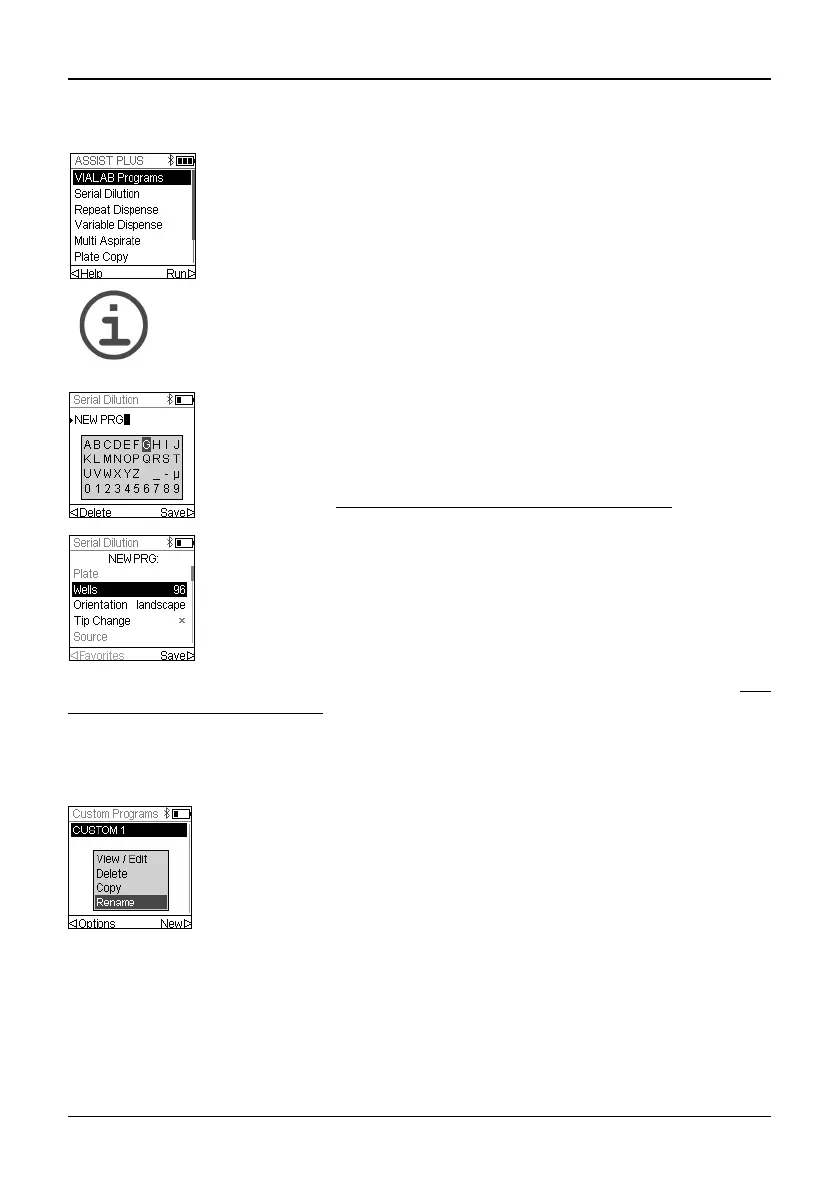
Use the Touch wheel to scroll to your desired pipetting category and
press OK.
Press New to create a new program. Your are prompted to enter a
name.
Use the Touch wheel to select characters and press OK. Once
finished, press to save the name. The programs can later be
renamed, see “5.3
Modify existing programs” on page 21.
Define all parameters of your program and press Save .
In any program category, use the Touch wheel to highlight an existing
program.
Press Options, use the Touch wheel to select an option (View/Edit,
Delete, Copy, Rename) to modify the program and press OK.



 To Next Page