ASSIST PLUS – Operating instructions V02 Programming
www.integra-biosciences.com 23
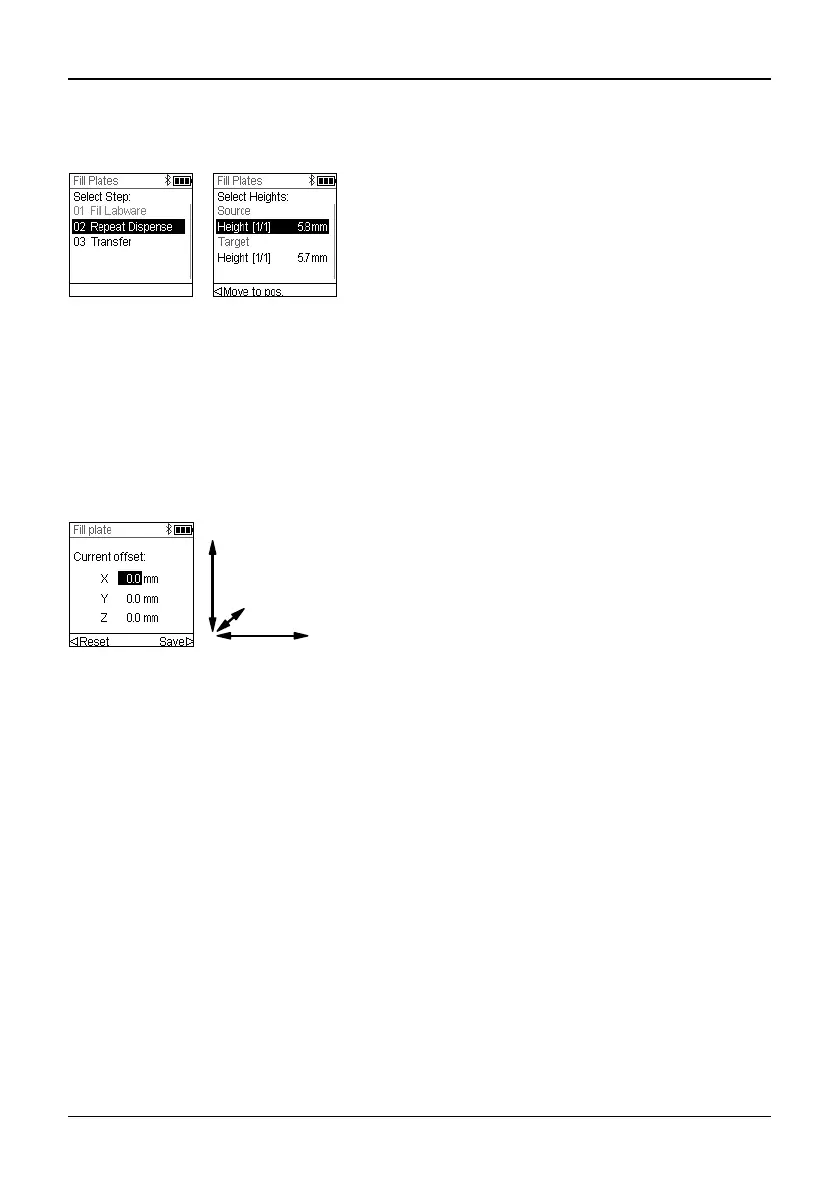
For VIALAB programs you can move the pipette automatically to the programmed
position. Select Height Adjust, a step and scroll to a Height [1/n].
5.5 Program offset
The Offset option is used to adjust all position settings of a given program if tips are not
aligned properly to the labware.
Adjusting the offset should not be the first action to correct positions. First the labware
dimensions should be verified in the VIALAB library.
On the Run screen of a VIALAB or predefined program select “Offset” on the list of options
and press OK. Use the Touch wheel to select the deck position A, B or C and press OK.
Press Move to pos. and press the Start/Pause
key on ASSIST PLUS to move the pipette to the
programmed position.
Use the Arrow keys (, ) to adjust the Height.
Press OK and Save to save current settings.
Set the offset(s) in mm of the selected position and
Save your settings.
X: positive value moves to the right
Y: positive value moves to the rear
Z: positive value moves up



 To Next Page