ASSIST PLUS – Operating instructions V02 Programming
www.integra-biosciences.com 25
5.7 Detailed description of predefined programs
Use the Touch wheel to select an option, define the required parameters and press OK.
Press OK to toggle between on (green ) and off (red ). All heights are defined relative
to the deck, see “5.4 Adjust heights and positions” on page 22. If a parameter is out of
range, the pipette beeps. Press Error to read the error message.
5.7.1 Serial Dilution program
Application: Use this program to perform serial dilutions. It enables aspiration of a
specific volume followed by a dispense and mix.
Options Steps Description of Serial Dilution
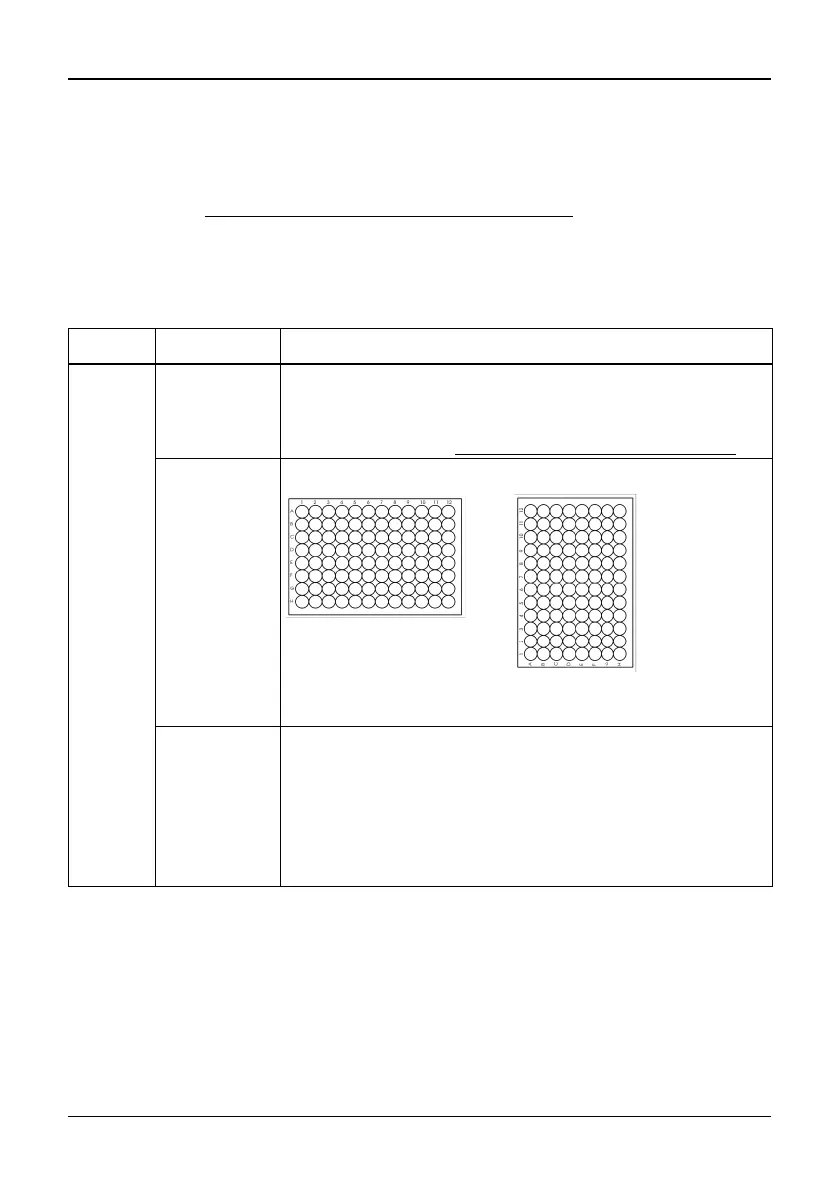
Plate Wells Sets the type of well plate (12, 24, 48, 96 or 384) to be used
as (source)/target. On VOYAGER pipettes this automatically
defines the tip spacing. Note: only pipette compatible plates
can be selected, see “7.6
Plate compatibility” on page 45
Orientation Sets the orientation of the plate (landscape, portrait).
Note: orientation can only be changed if it is compatible with
the pipette.
Tip Change If activated, tips are changed before each new aspiration.
Tips are emptied and by default a BlowOut is performed in
the same location.
Deactivate the BlowOut to prevent air bubbles in the sample.
This will activate the Tip Touch (Side), for which an appropri-
ate height needs to be set. Then a BlowOut is performed at
this height.



 To Next Page