ASSIST PLUS – Operating instructions V02 Installation
www.integra-biosciences.com 13
3.7 Inserting decks
3.8 Inserting waste bags and waste bin
Remove the frame from Waste bin (9) and insert a waste bag (see “8.2 Consumables” on
page 50) into the bin.
Place the Waste bin on the Instrument base (13
) on the right side next to the tip sensor.
The Sensor reflector (8
) must face the Tip sensor (10), as shown in the picture above.
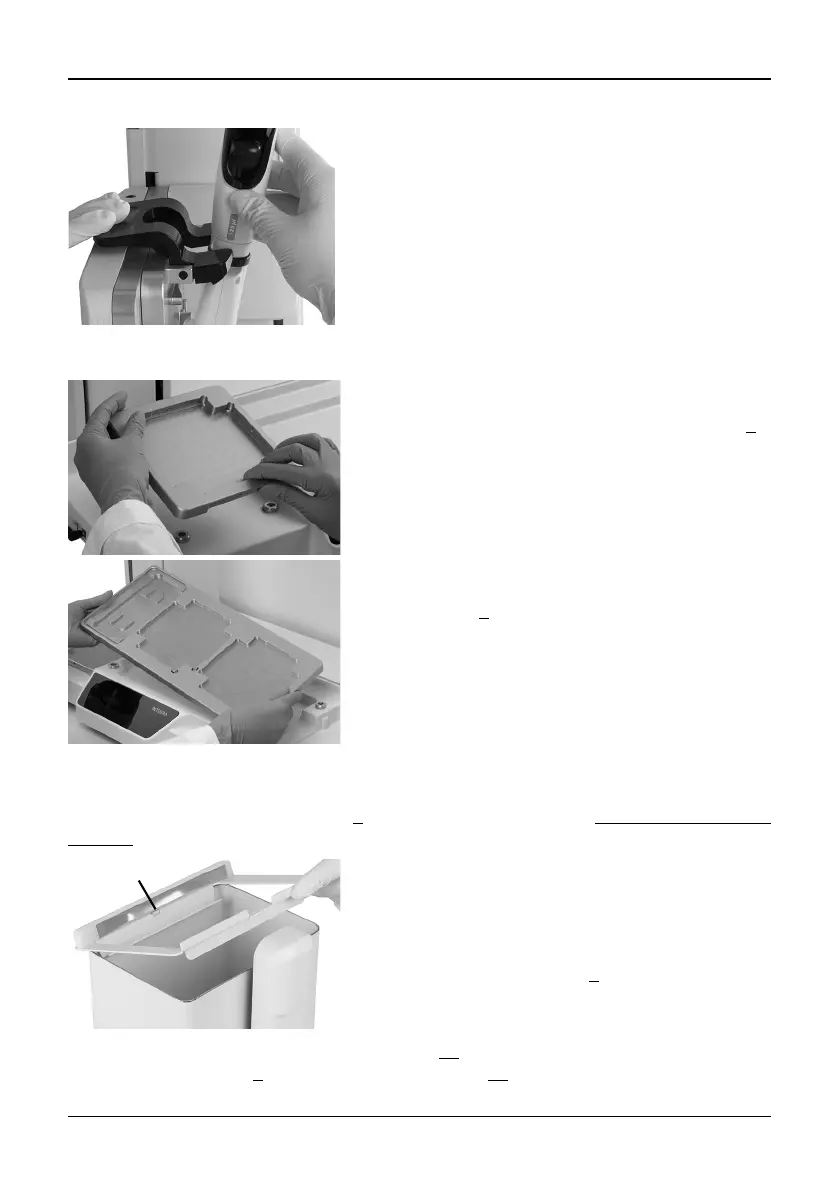
To release the pipette lift the black gripper by pushing
down the left end.
Hold the front and the back of the Tip box deck (6
),
find the correct orientation and place it over the
corresponding positioning studs. Press down firmly
until you hear a click.
Hold the Deck (7
) with both hands and place it over
the corresponding positioning studs. Press down
firmly until you hear a click.
Place the opening of the waste bin frame on the
centering bar (a) of the Waste bin.
Lower the frame onto the bin while holding the bag to
the side wall of the Waste bin. The bag is now fixed.
Attach the Sensor reflector (8
) by inserting the two
pins into the two holes of the frame. The reflector is
fixed magnetically.



 To Next Page