D-0120794-C – 2019/11
Orion Rotary Chair Installation Instructions Page 26
Once all three bolts and washers are inserted, tighten
down all three lock nuts evenly.
4.5 Laser Projector
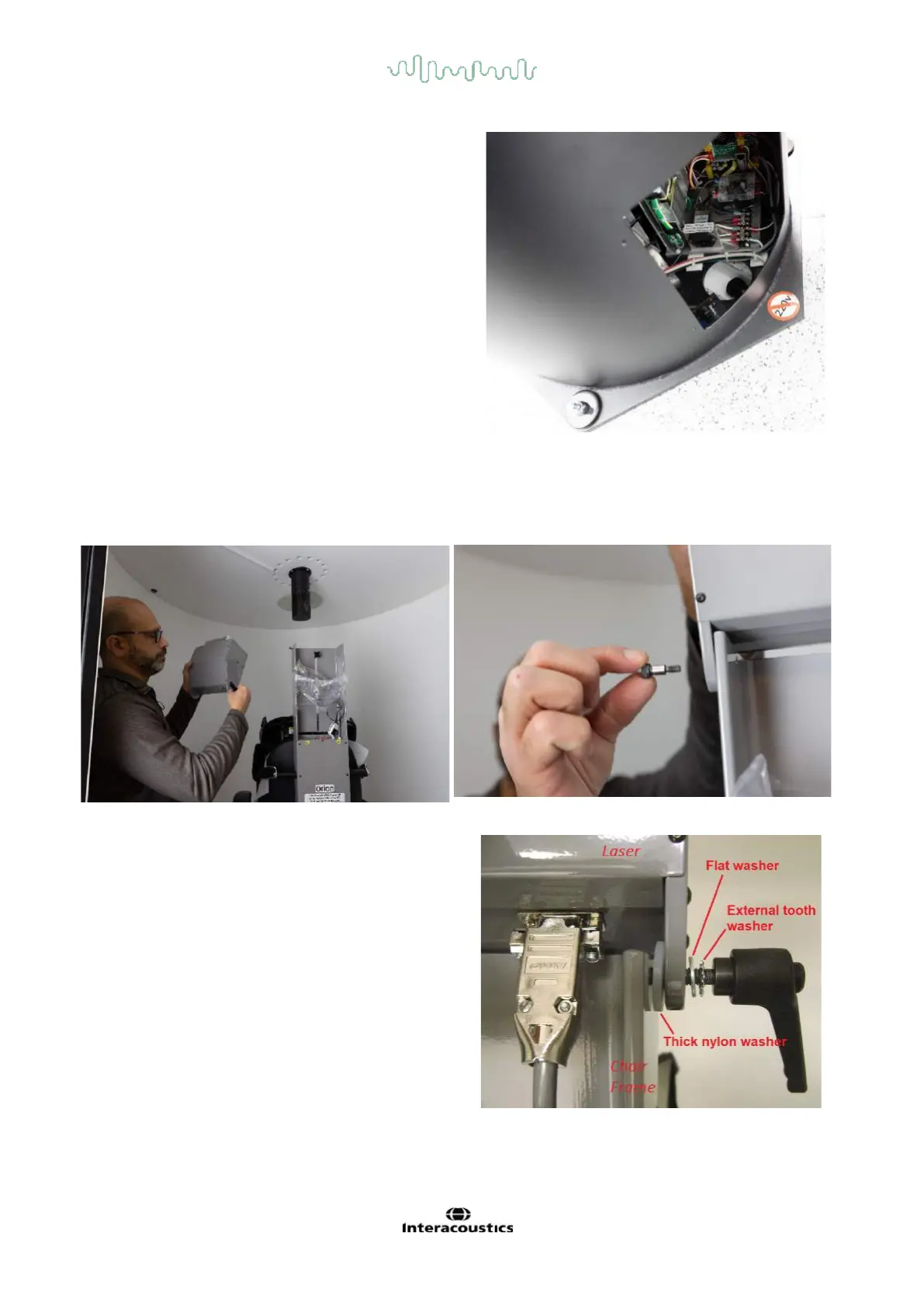
Mount the laser box on top of the chair frame. Use the supplied Allen wrench to remove the shoulder screw
from the chair frame. The hand knob has two nylon washers. The bigger washer goes between the laser box
and the chair frame. The smaller nylon washer goes between the hand knob and the laser box.
Once the laser is mounted on the chair frame, the D-
sub connector for the laser should be plugded into
bottom of laser box.
Use an 1/8” / 0.32 cm Allen wrench to tighten the
shoulder screw and a small flat blade screw driver to
tighten the D-sub connector.














 To Next Page