D-0120794-C – 2019/11
Orion Rotary Chair Installation Instructions Page 18
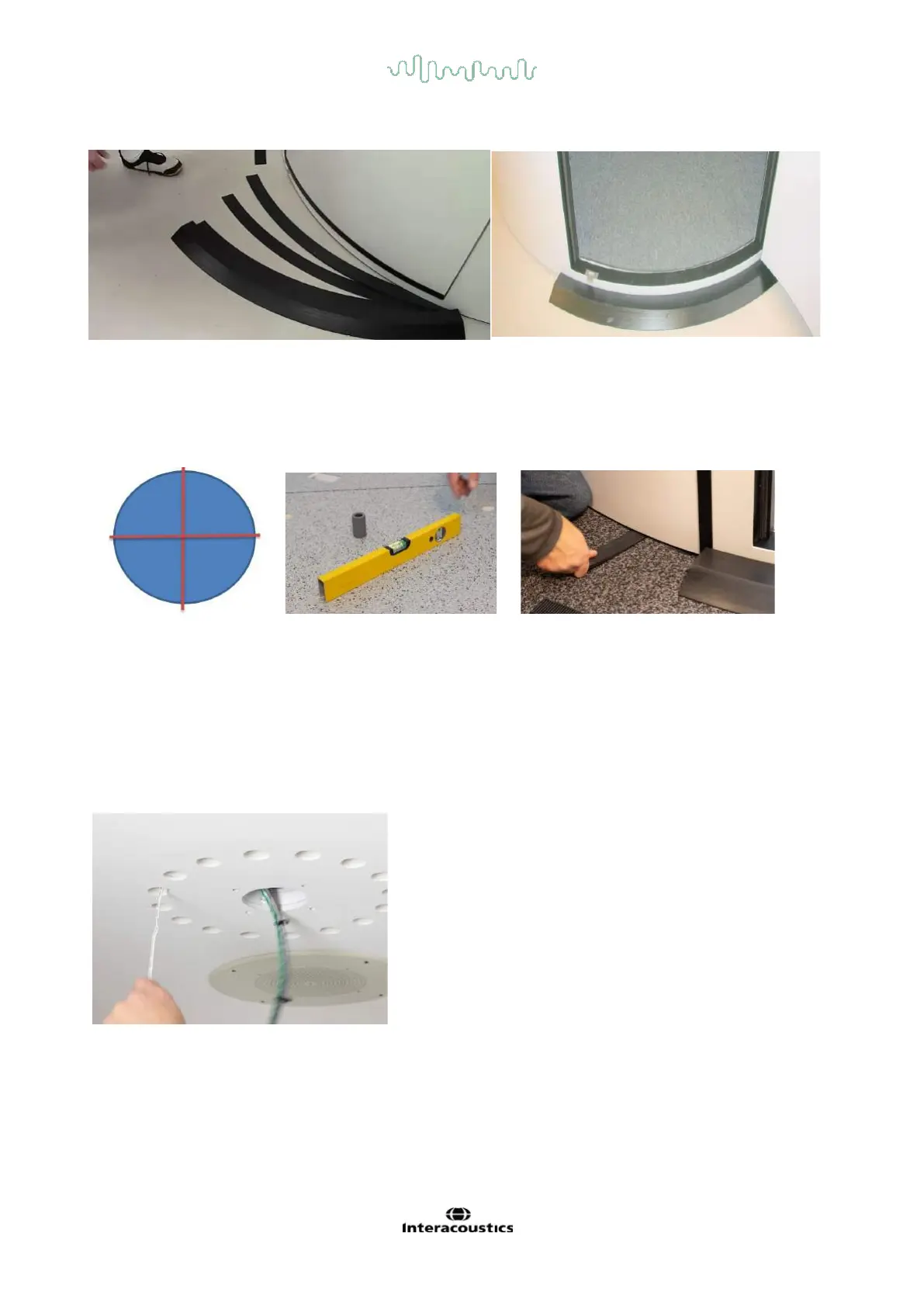
Fixing the Door Threshold
3.6 Leveling the Booth:
Check the booth floor is level from the center to four points of the perimeter. If the floor needs to be leveled,
use provided plastic shims to make the booth level.
Checking and adjustment of booth floor level
3.7 OKN Drum Installation
There is a gray cable and a round CPC connector in a 4” / 10.16 cm hole in the booth ceiling. Pull the
connector down through the ceiling. Connect the CPC connector to the OKN Drum Cable. Do not let the
OKN drum hang from the cable. Push the cable back up into the ceiling. Push the motor into the ceiling and
line up the four mounting holes. Place a ¼” / 0.64 cm machine screw into each hole and start the thread by
hand. DO NOT PUSH UP TOO HARD as it will push the T-nut out of its position. Put a second screw in and
with a power screwdriver, tighten the two screws. Finish inserting and tightening all the screws.
Pull the thin white power cable out from one of the vent holes.
This wire is used in Section 5.3 for Booth Observation Camera
installation.














 To Next Page