D-0120794-C – 2019/11
Orion Rotary Chair Installation Instructions Page 37
6.3 Laser Check
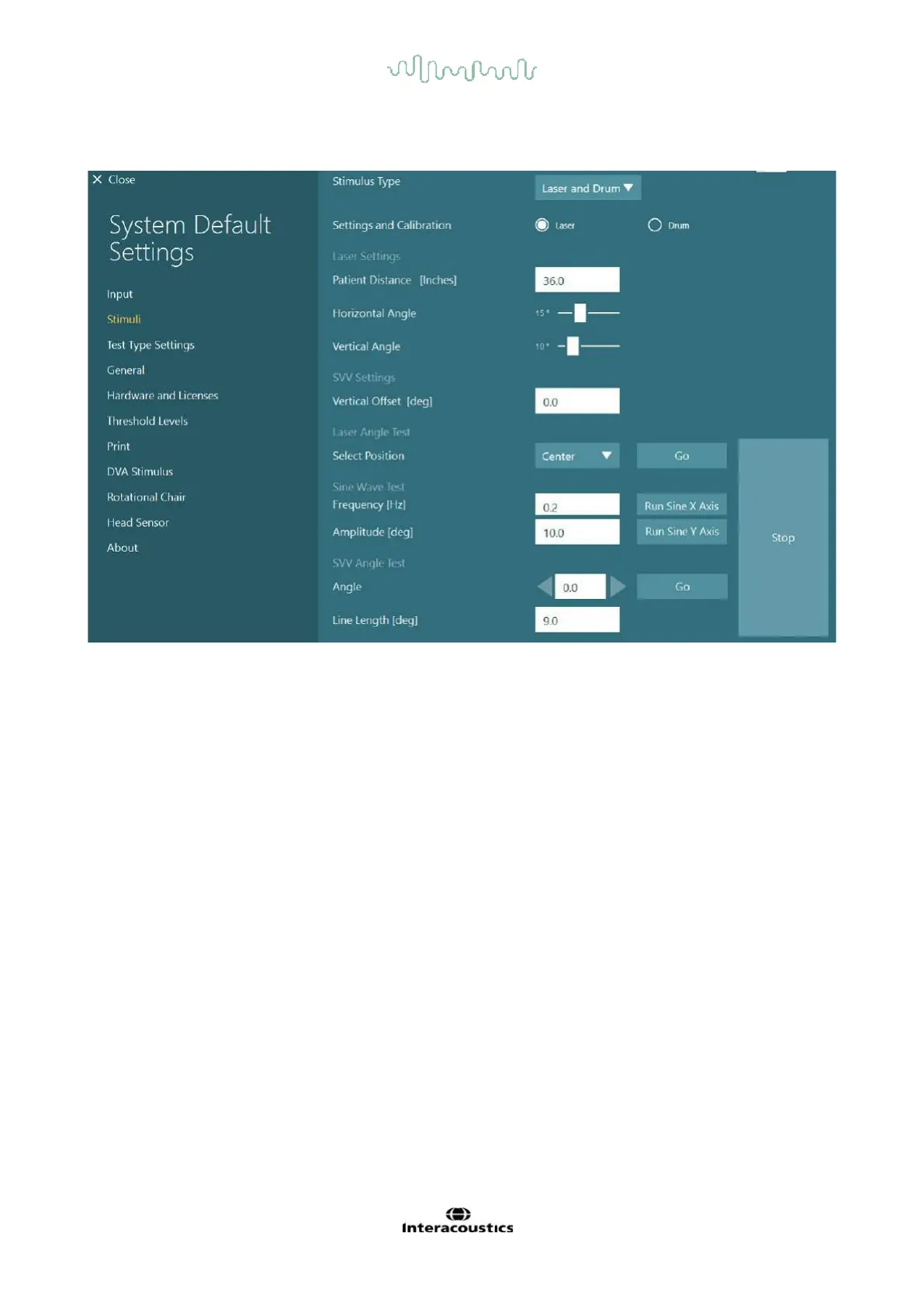
Select the stimulus type as Laser and Drum from drop-down menu. Choose Laser as stimuli.
Select Center position and then, click ’Go’ under Laser Angle Test. Laser light should put a red target on the
booth wall depending on the position selected (Center, Left 15, Right 15, Left 25, Right 25 etc.). After that
perform Sine Wave Test using ’Run Sine X Axis or Run Sine Y Axis’ and observe that the laser moves in a
smooth pattern. Click Stop to stop the Sine Wave Test.
Under SVV Angle Test, click Go to check that the SVV line is rendered. Use the left / right arrow buttons to
change the line angle and confirm smooth movement of the line.
6.4 OKN Check
Select the stimulus type as Laser and Drum from drop-down menu. Choose Drum as stimuli and select
validation option. Click on ’Go’ for Sine Wave validation. The OKN lamp should turn on and stripes will
appear on the booth wall. The drum should rotate first one way then the other with symmetrical sine wave.
The drum will stop automatically after completing the number of cycles set in the validation parameters.














 To Next Page