D-0120794-C – 2019/11
Orion Rotary Chair Installation Instructions Page 38
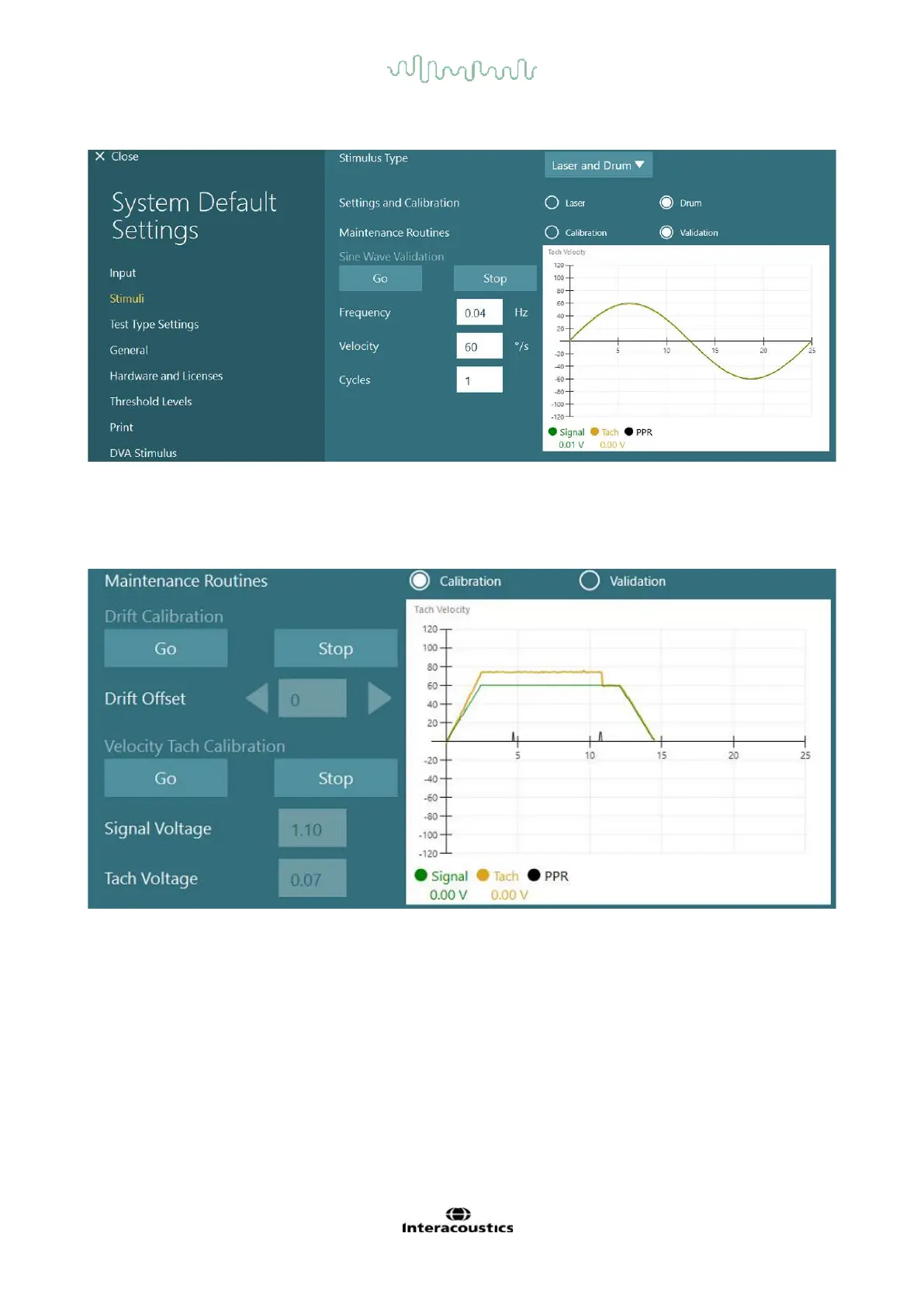
If the Sine wave does not show superimposed lines, select the ’Calibration’ option. Click the Go button under
Drift Calibration and adjust the drift using the left / right arrow buttons to stop any drum movement. Click
Stop. Then click on Go button under Velocity Tach calibration. The drum will begin to rotate. Make sure the
direction is CCW. Two lines will be shown and eventually be superimposed. The calibration will stop
automatically.














 To Next Page