D-0120794-C – 2019/11
Orion Rotary Chair Installation Instructions Page 34
5.7 Connections between accessories:
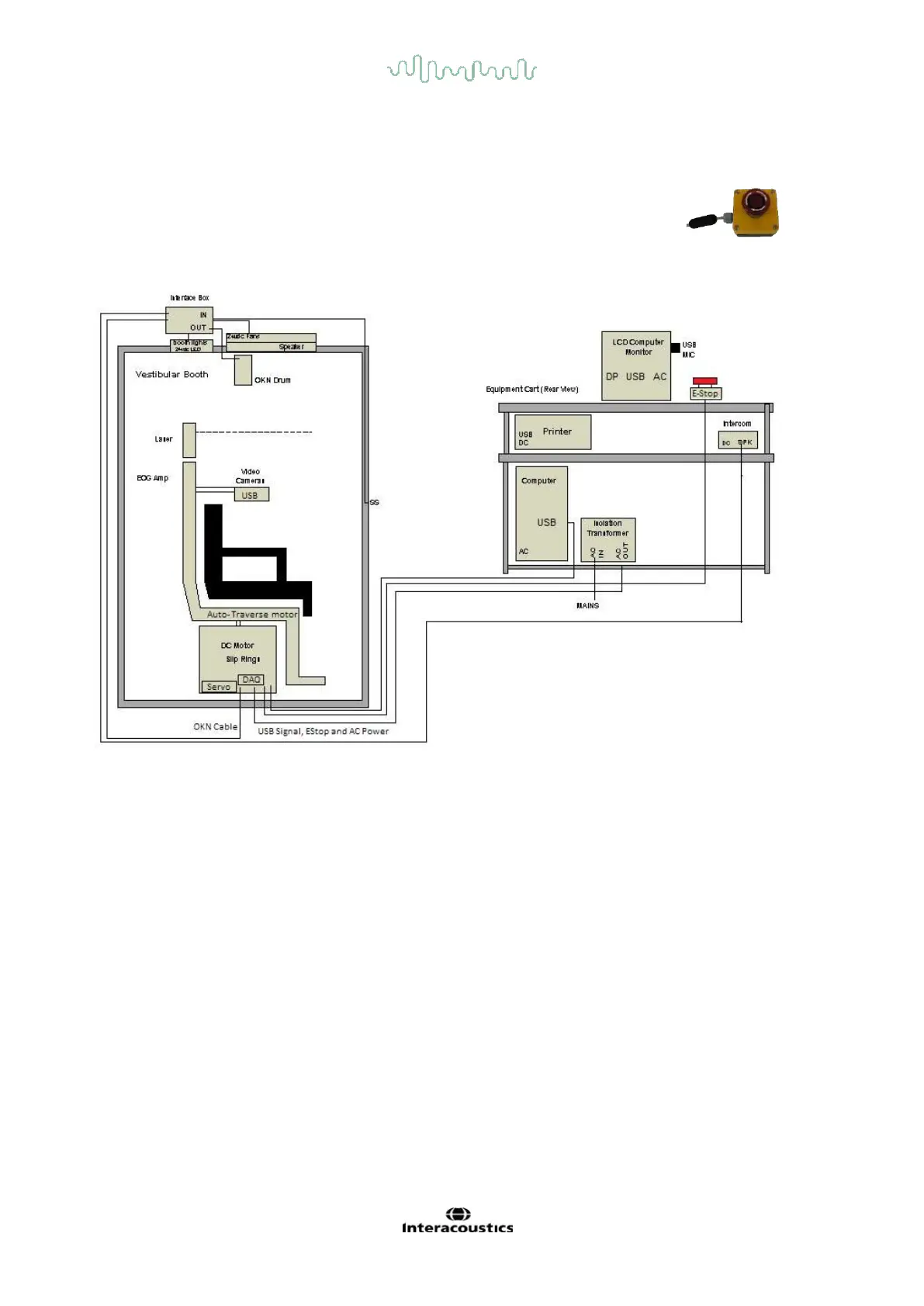
Ensure that applicable accessories like monitor, speaker bar, Intercom, keyboard, mouse, RF remote, SVV
remote and etc are connected to PC.
Ensure that the E-stop is disengaged by twisting it clockwise.
The pictorial representation of all the configurations with Orion AT/C chair is mentioned below.
Note: Use cable ties on the cables once the equipment position is determined. Use cable ties to group the
motor and instrument cables to make them neat. Put extra cable length behind the cart or the booth as
needed.














 To Next Page