D-0120794-C – 2019/11
Orion Rotary Chair Installation Instructions Page 29
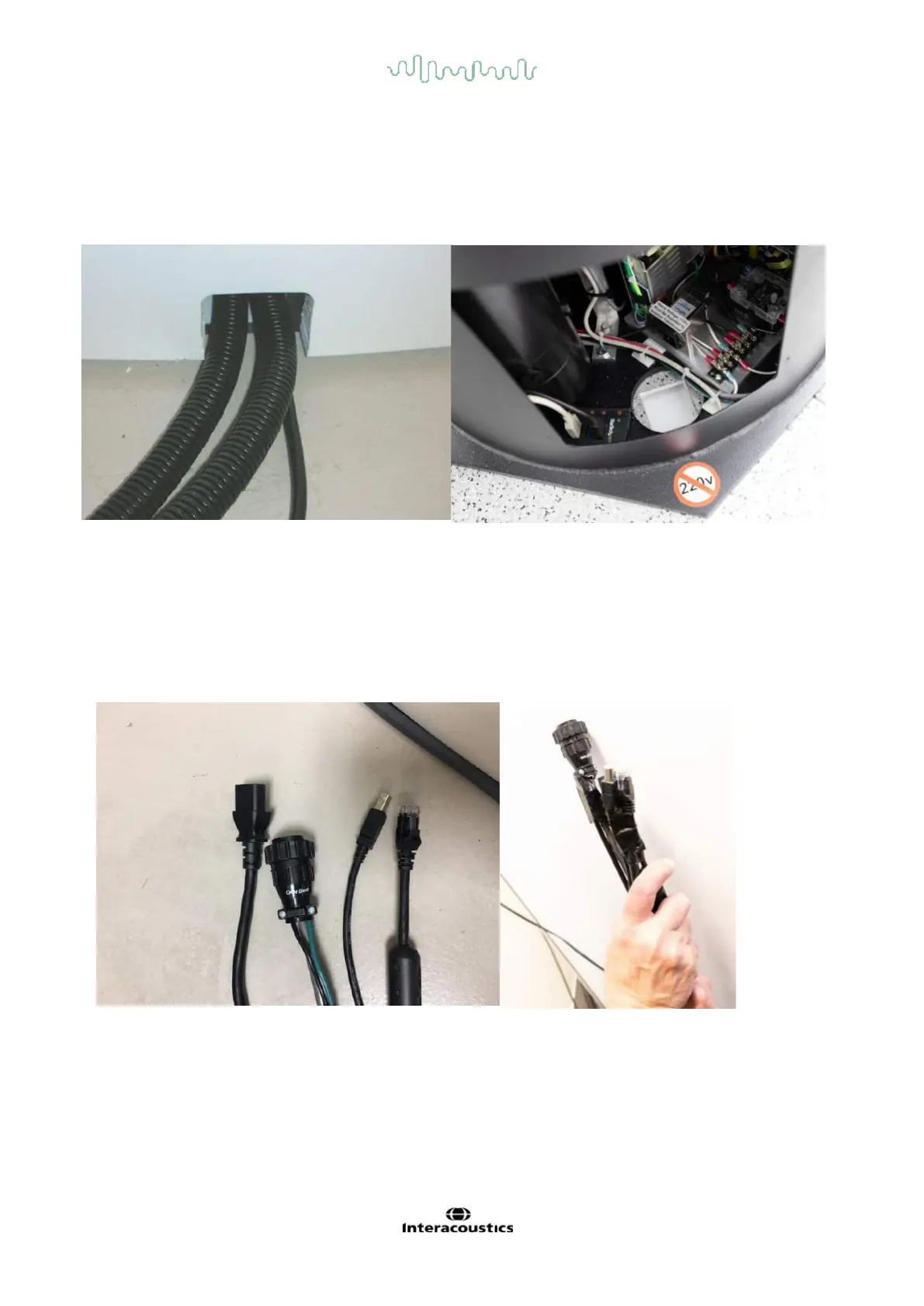
4.8 Connecting Cables in Chair Base
Using a hex wrench supplied with system and a flashlight (not supplied with the system), open the side panel
next to the voltage symbol in the chair base. Set the panel and screws aside. The hole for the cable entry
should be aligned with the channel in the booth floor.
Insert the cables (power cable, USB cable, Emergency stop swtich cable and OKN drum cable) through
booth channel and collect them through the hole in
the bottom of the chair. Follow the below mentioned instructions of cable insertion.
From outside the booth feed in the following cables through the entry hole in the booth wall. You will need to
bundle them together to form a narrow bundle that will not get stuck in the floor channel.
• 25ft. USB cable (B-end)
• 25ft. E-Stop cable (RJ-45 connector end)
• 25ft. AC power cable (IEC male plug)
• OKN drum cable (OKN Base end, CPC connector)
Slowly feed these cables about 36 inches into the booth floor. With someone inside the booth, use a
flashlight to look inside the chair base. When the cables and connectors appear, gently pull them from inside
and push from outside the booth until the cables are inside the chair base.
Unbundle the cables, and feed in extra 2ft of the USB cable. This extra length is used to make 5 loops of the
USB cable around the supplied ferrite ring. Plug in the USB cable’s B-connector (square end) into the USB
hub after the cable is wrapped in 5 turns on the ferrite ring.














 To Next Page