D-0120794-C – 2019/11
Orion Rotary Chair Installation Instructions Page 28
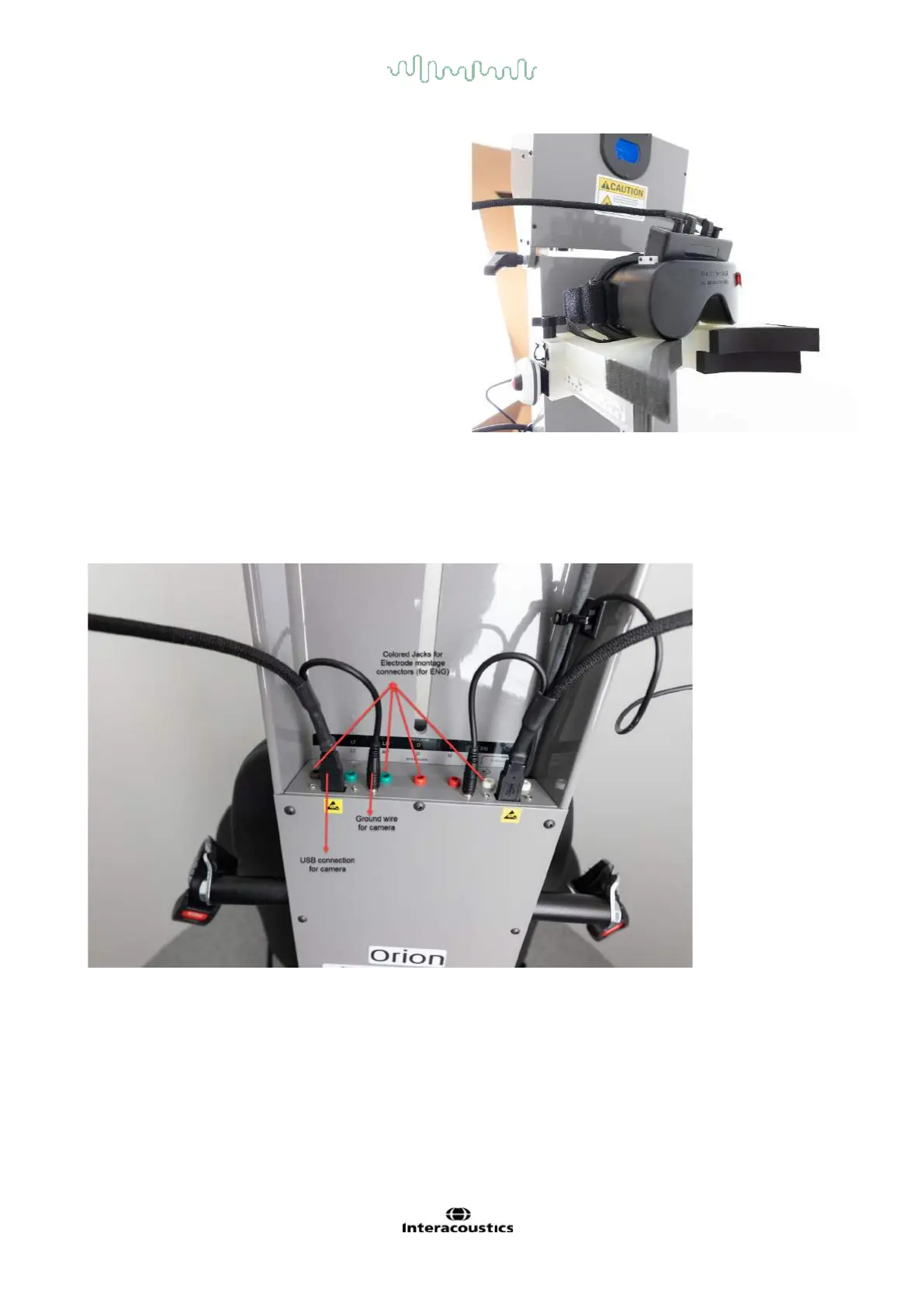
The video goggles can be stored on the head support
between testing patients.
4.7 Camera and EOG Connectors
Connectors for the cameras are on the chair frame. Plug the left and right camera USB cables to the nearest
USB connectors on the chair frame. The top mounted cameras have additional ground wire shielding.
Connect those ground wires to the respective port next to USB ports for cameras as shown in the picture.
Seven pin connectors (colored Jacks) are located on the back of the chair frame for EOG (option) amplifier
lead wires (electrode montage for ENG). These pin connectors are available with every chair frame, but the
user has to order ENG option to make use of this option.














 To Next Page