VN415 / VO425 Instructions for Use - English
Date: 2010-12-20 Page 5
Automatic threshold detection
The grey-scale threshold by which the pupil is identified is set automatically when the goggle is
positioned on the client. This can be deactivated and then re-activated with the and buttons.
Shifting between Eye Trackers
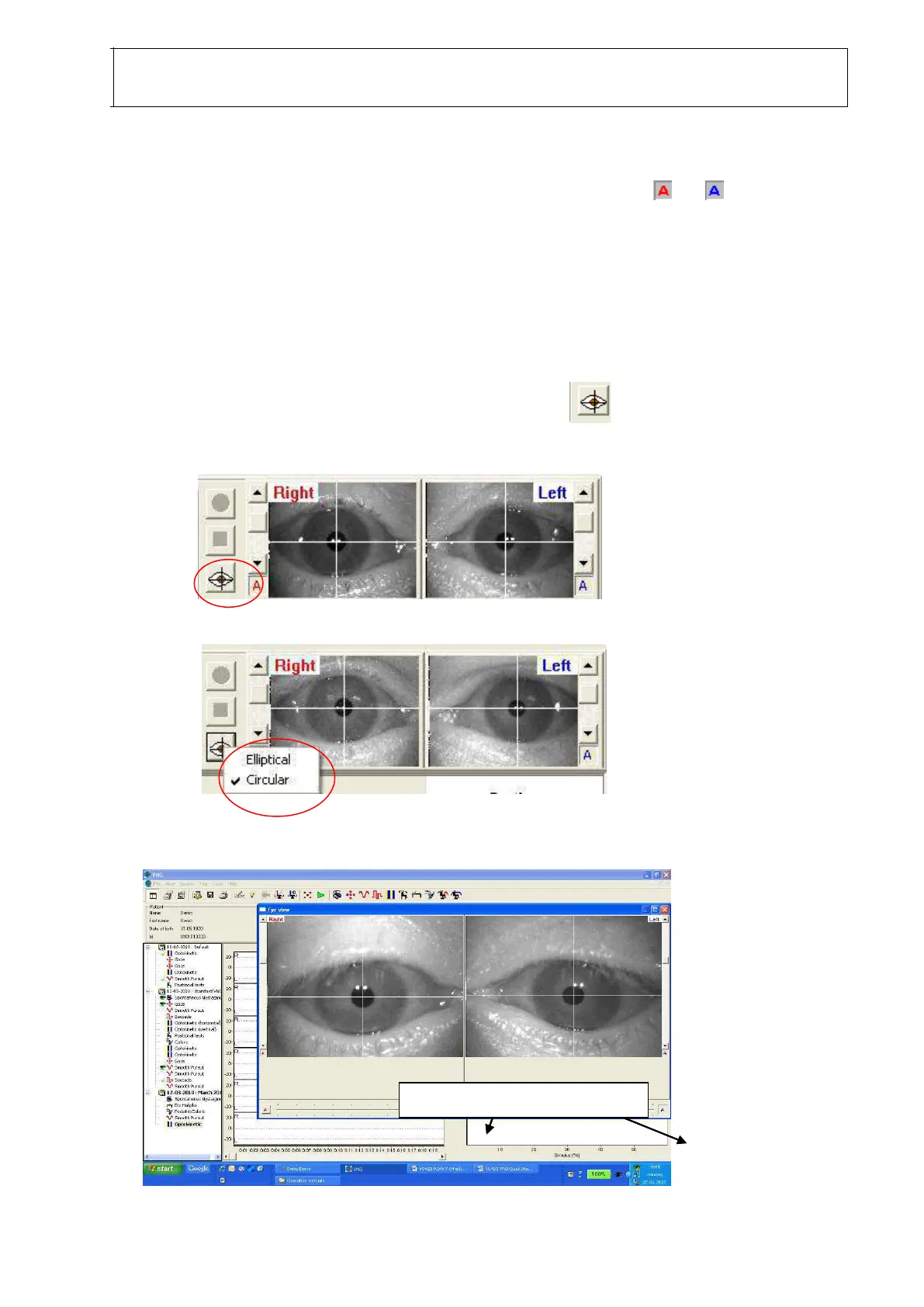
To facilitate optimal eyetracking on as many patients as possible, two different
eyetrackers are available for the user:
Elliptical – searches for edges; those that combine into an elliptical shape are defined as the
pupil. Will normally provide optimal tracking on patients wearing mascara
Circular – searches for dark areas and locks onto the roundest object, identifying this as the
pupil.
To shift between the two eye trackers on the fly, click the symbol in the lower left
corner of the eye image area and select the required eye tracker – Elliptical or Circular.
Image Brightness Adjustment
Sliders for image brightness adjustment Sliders for image brightness adjustment Sliders for image brightness adjustment Sliders for image brightness adjustment














 To Next Page