User’s Manual of netMod Network Termination Unit
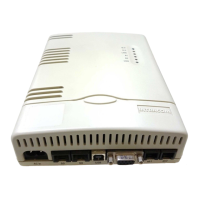
Follow the steps hereafter in order to install the netMod:
• Turn off the power of the PC (only for RS232 connections).
• Connect the male end of the 9-pin cable to the serial port of netMod or the USB
connector to the USB receptacle of the netMod
• Connect the female end of the 9-pin cable to the computer’s serial port or the USB
connector to the USB receptacle of your PC
• Turn the PC on.
The installation of netMod as a PC peripheral unit is described in
the chapter “CONNECTING TO A PC”.
Never connect the serial port cable to a device currently in use.
The device can be damaged.
Especially for the USB installation we suggest to follow the
instructions described in the chapter “CONNECTING TO A PC”.
12


 To Next Page