User’s Manual of netMod Network Termination Unit
COMMUNICATION BY OTHER MEANS
A PC connected to netMod is able to communicate with another PC connected to a
corresponding ISDN device. A basic requirement to achieve this communication is that the
other device has to use one of the communication protocols that netMod uses. netMod
uses the PPP, ML-PPP, Transparent PPP and Voice Transparent protocols, which are
described in more details below. Apart from using the same protocol, both PCs must also
have the appropriate software.
In any case of connection the H/W flow control has to be activated on the PC’s serial port
used for the connection to netMod.
Transmission using a PPP Protocol
In case of PPP connection, using Windows ‘9x/Me, the user should make a dial-up
connection. The dial number has to be the device number that you want to communicate
with. The PC that receives the incoming call has to have the dial-up software active,
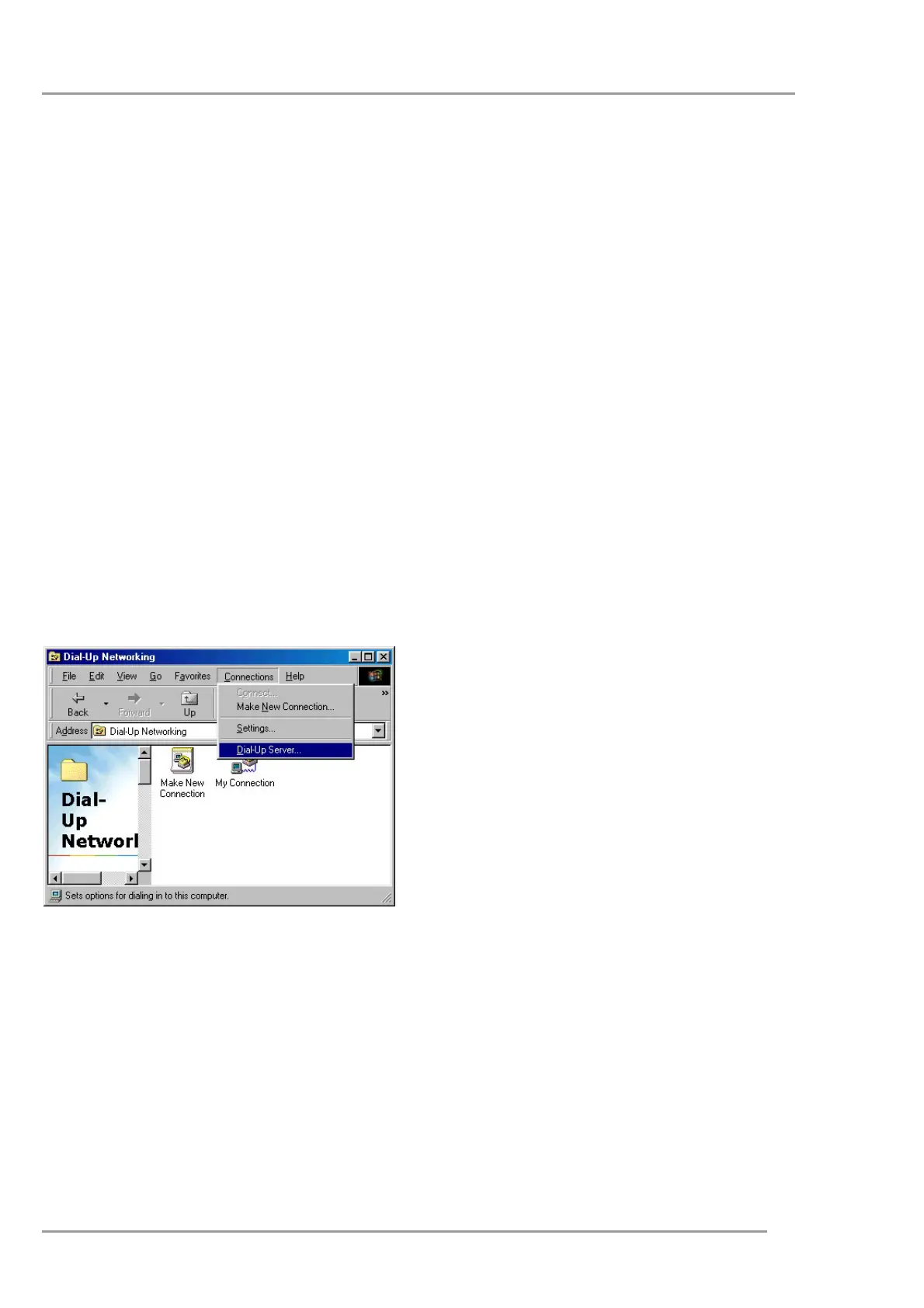
waiting for this call. On Windows’ 95 you can activate the Dial-Up Server from the
<Connection> menu on the <Dial-Up Networking> window.
On the window that appears select your
netMod and press the <Allow caller access>
to activate your incoming calls.
5


 To Next Page