User’s Manual of netMod Network Termination Unit
Connecting a Personal Computer
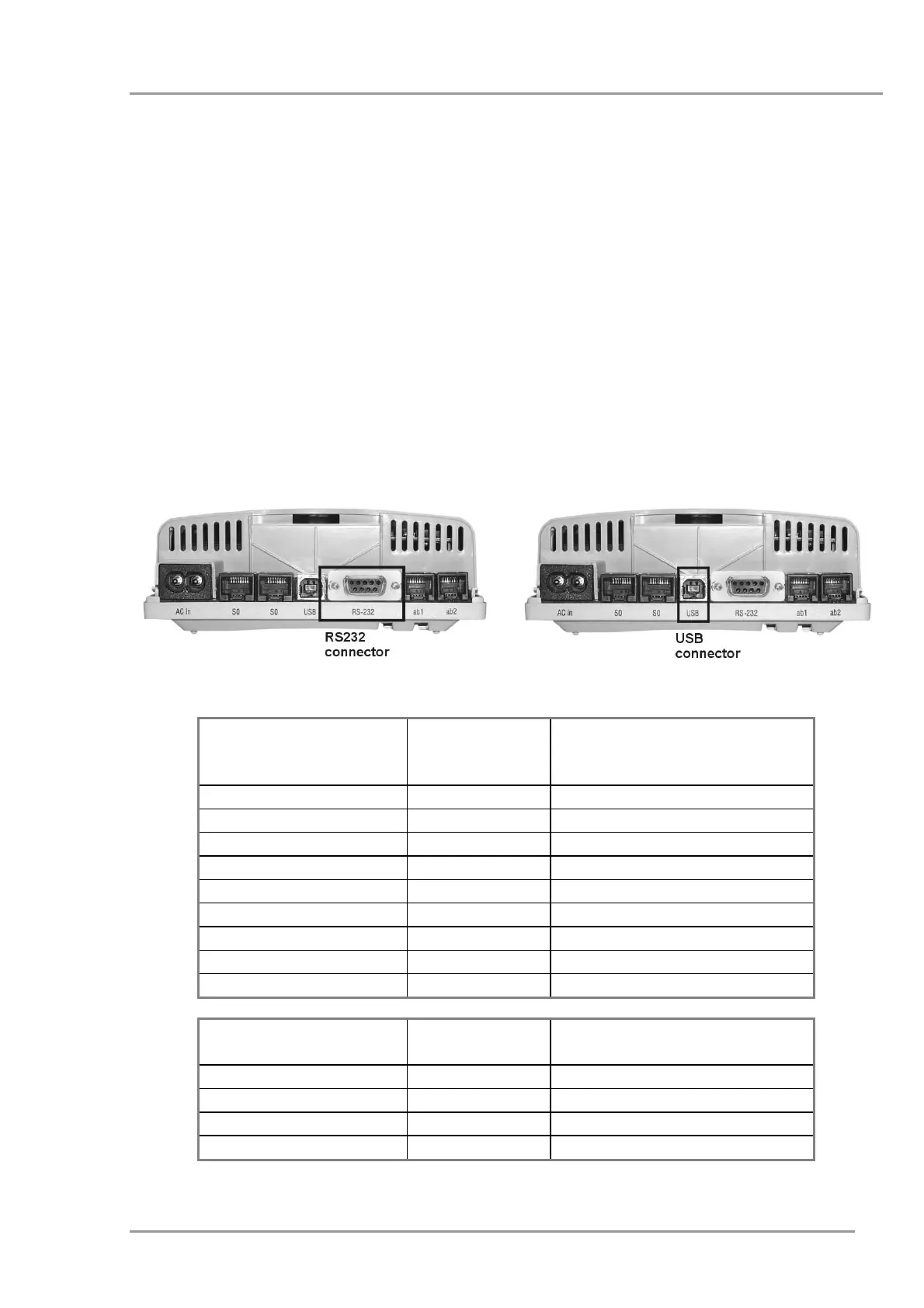
netMod provides two data ports to connect a Personal Computer (PC):
• a serial communication port RS232 and
• a USB port.
An RS232 cable is required for connecting netMod to the PC with male connector DB9 at
one end (netMod’s side), and female connector DB9 at the other end (PC’s side).
For the USB port you need a cable with a connector Type B for netMod side and a
connector Type A for PC side.
Both cables are included in the package.
Figure 10: Connecting a PC
netMod
RS232
(male)
Signal PC
RS232
(Female)
3
TXD
3
2
RXD
2
7
RTS
7
8
CTS
8
6
DSR
6
5
Ground
5
1
CD (DCD)
1
4
DTR
4
9
RI
9
netMod USB
(Type B)
Signal PC USB
(Type A)
1
+5V
1
2
- DATA
2
3
+ DATA
3
4
Ground
4
19


 To Next Page