User’s Manual of netMod Network Termination Unit
CONNECTING TO THE INTERNET
Required Settings
Once you have netMod installed correctly you can use it to be connected to the Internet.
To do so you must have an account to an Internet provider for ISDN Internet access.
You need an Internet access account via dial-up ISDN. The old
simple dial-up account will not operate.
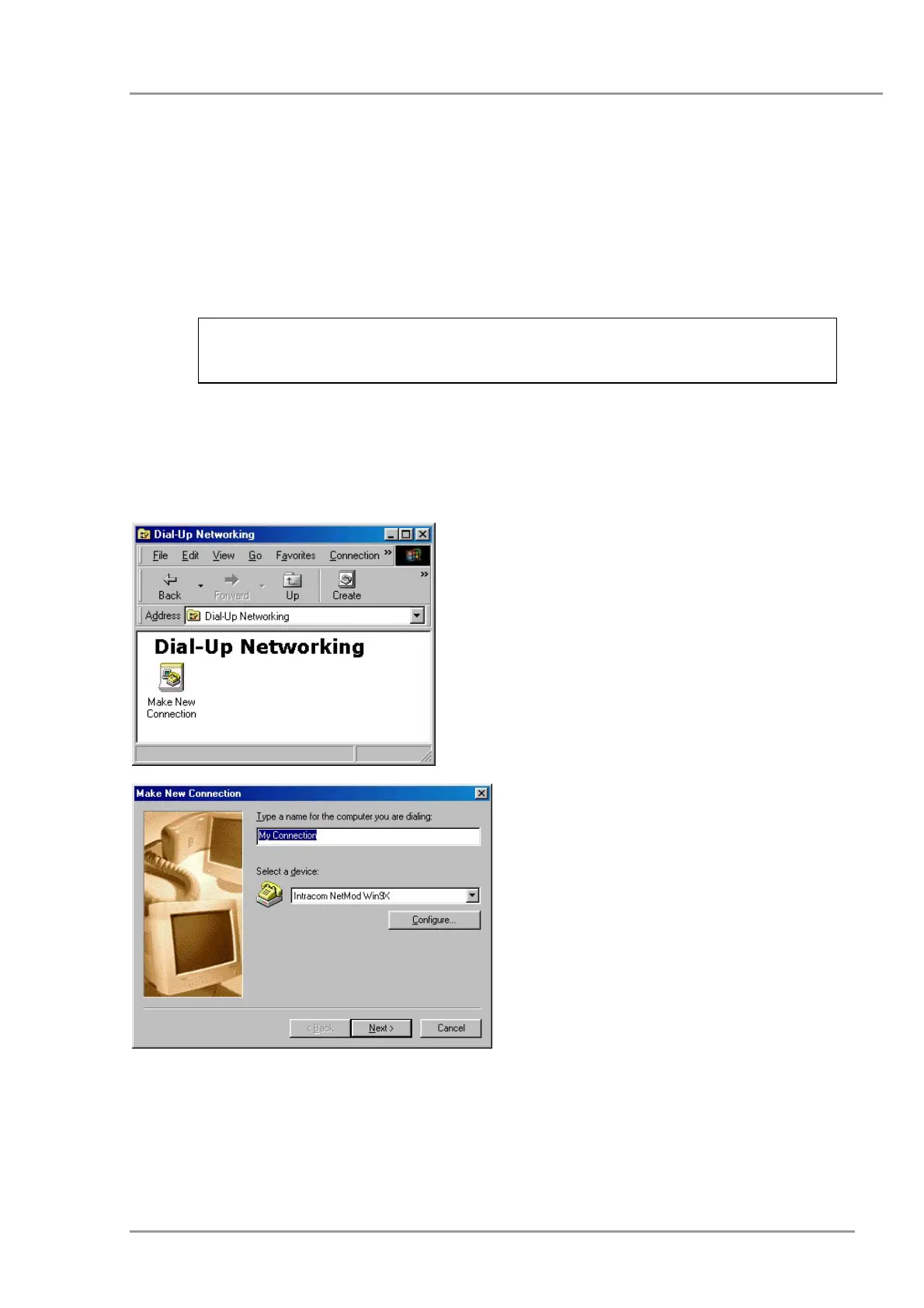
In order to add your new ISDN Internet connection open the <Dial-Up Networking> item in
<Accessories> menu. If such an item does not exist, you should install it from your
Windows’ 95/98/Me CD-ROM. For further information on this subject, please refer to your
Windows’ 95/98/Me manual. The first time you run <Dial-Up Networking> a window like
the following will appear:
Double click on the <Make New
Connection> icon.
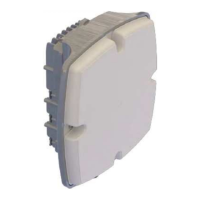
Click on <Configure> to configure your
connection.
The next window shows the connection
port.
4


 To Next Page