User’s Manual of netMod Network Termination Unit
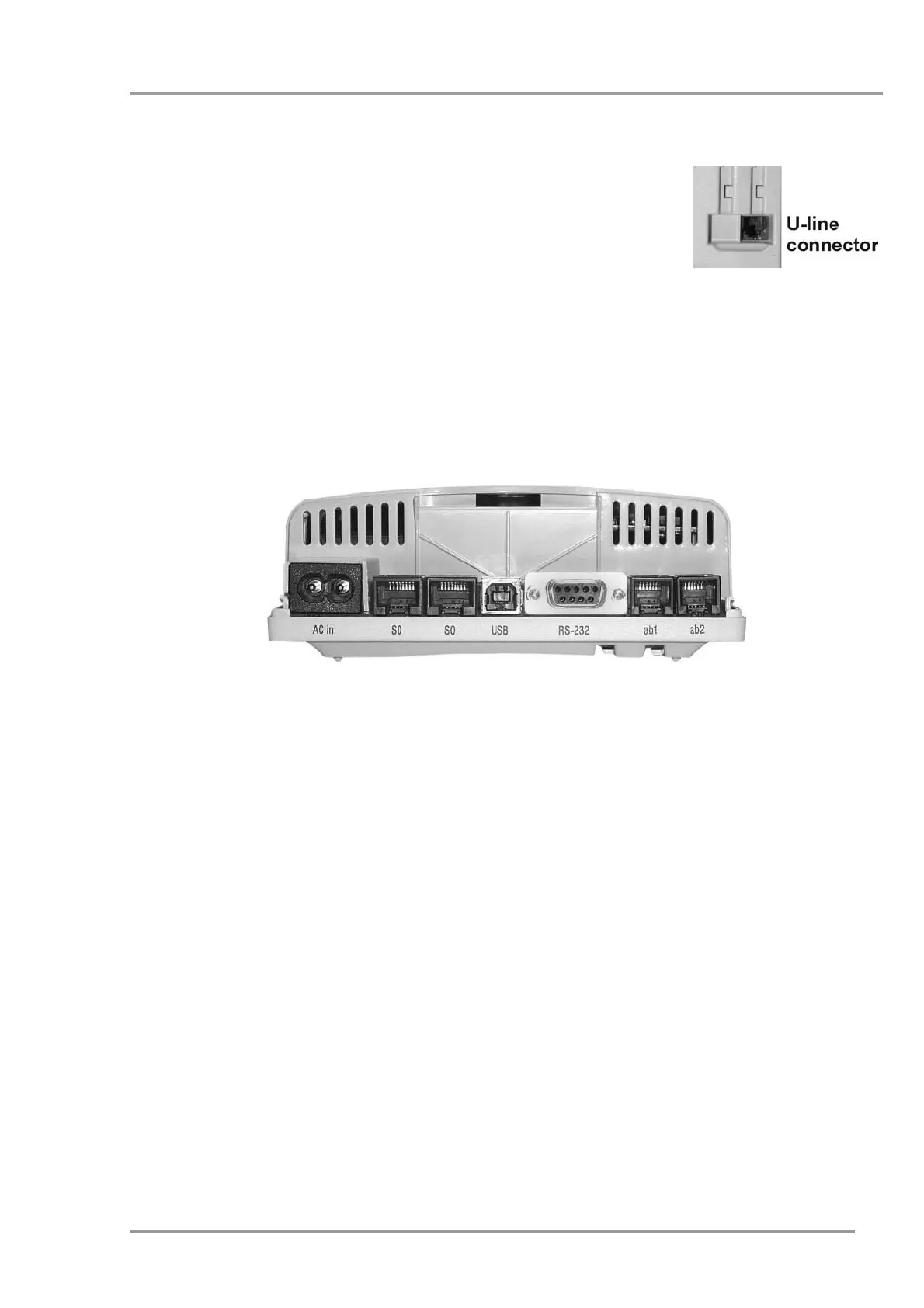
To install netMod follow the instructions given below (see Figure 4):
• Connect the U-line (2-wire cable of the ISDN service provider)
to the corresponding RJ-11 jack.
• Plug the AC cable to the AC mains.
• Check the orange LED status on the topside of netMod: The
AC Mains Power LED (M.P.) should be lit.
• Depending on the devices that you want to connect, use the relevant jacks:
• RJ-11 jacks (ab1, ab2) for the analogue devices (analogue telephone, fax).
• RJ-45 jack for the ISDN terminals.
• RS232 serial port for the personal computer (PC).
•
USB port for the personal computer (PC)
Figure 4: netMod’s Connections
11


 To Next Page