User’s Manual of netMod Network Termination Unit
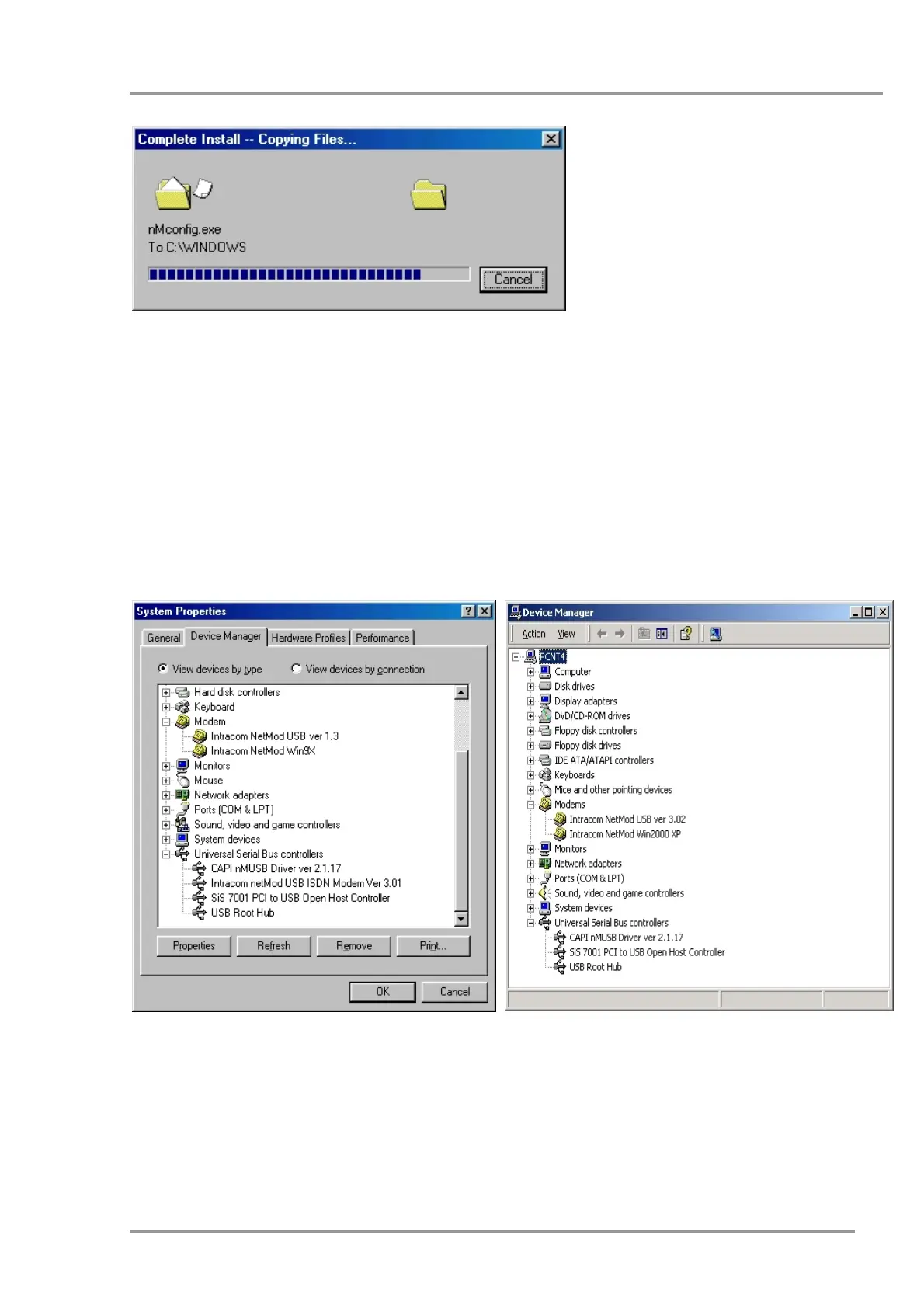
This window shows the
copying of the drivers’
files. The window will
disappear when the
procedure is
completed.
Installation Completion
Now you can connect the RS232 and/or USB cables. Windows will detect your new
hardware and the installation will be completed in a few seconds. In order to check the
correct installation open the “Device Manager” (Windows9x/ME “Start Æ Settings Æ
Control Panel Æ System”Win2000/XP “Start Æ Settings Æ Control Panel Æ System
Æ Hardware”) and under the selection «Modems» you will see “Intracom netMod USB
ver.xx” and/or “Intracom netMod Winxxxx”. In case of a USB installation, you can check
under “the USB controllers” (Universal Serial Bus controllers) for the device installation of
“CAPI nMUSB Driver ver x.x.x” and “Intracom netMod USB ISDN Modem Ver x.xx”.
The above windows present the Device Manager settings under Windows98/ME and
WindowsXP/2000 as well as the device configuration after netMod’s USB installation.
43


 To Next Page