Hardware Operations
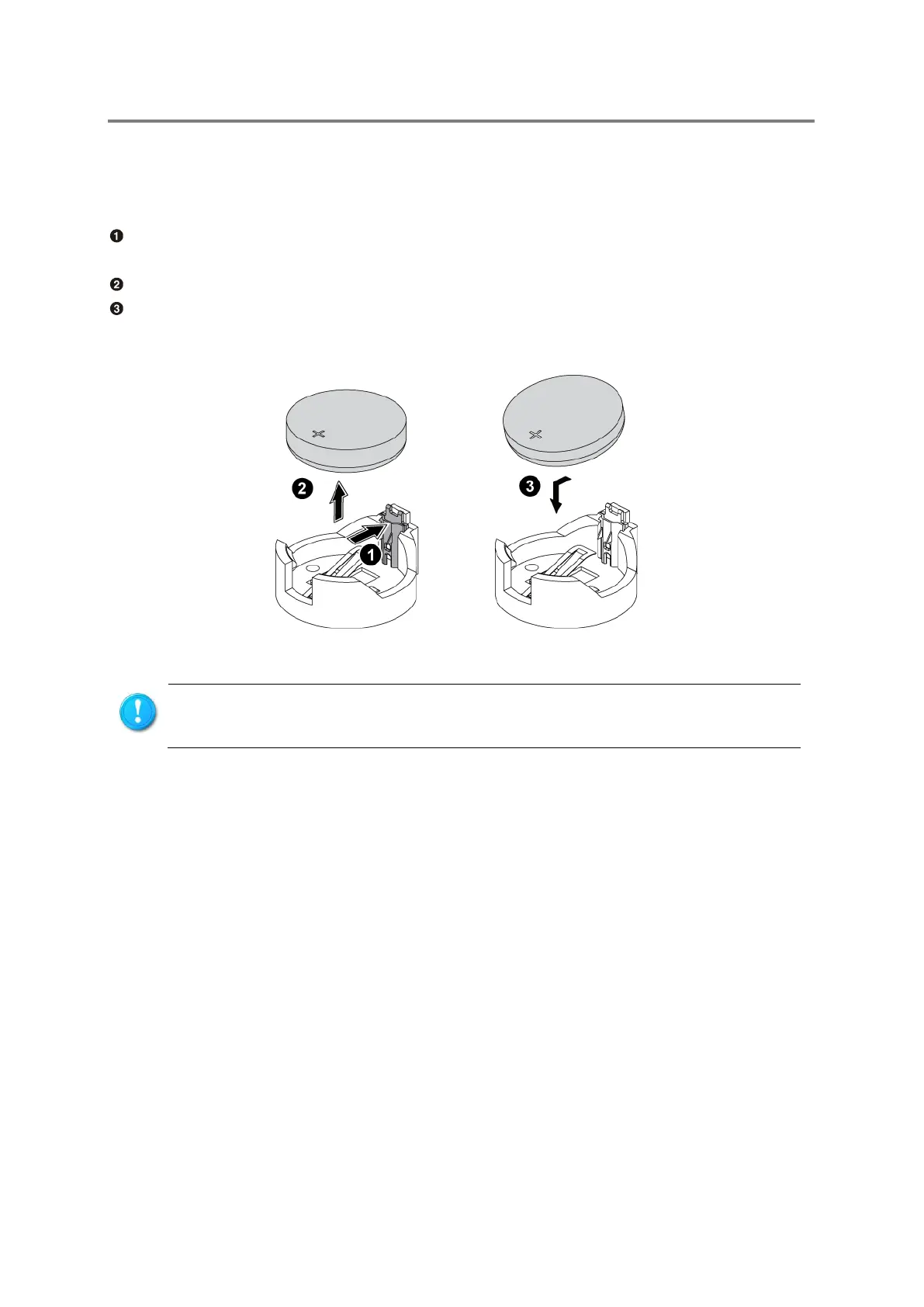
2.3.1 To remove and install the system battery
Release the battery form its holder by squeezing the metal clamp that extends above one
edge of the battery.
Lift the system battery up.
To install the system battery, slide one edge of the battery under the holder’s lip with the
positive side up. Push the other edge down until the clamp snaps over the other edge of
the battery.
Figure 2-1 Remove and Install the System Battery
Do not bend the retaining clip during system battery replacement. For proper
operation, the clip must maintain a position of contact with the system battery.


 To Next Page