Hardware Operations
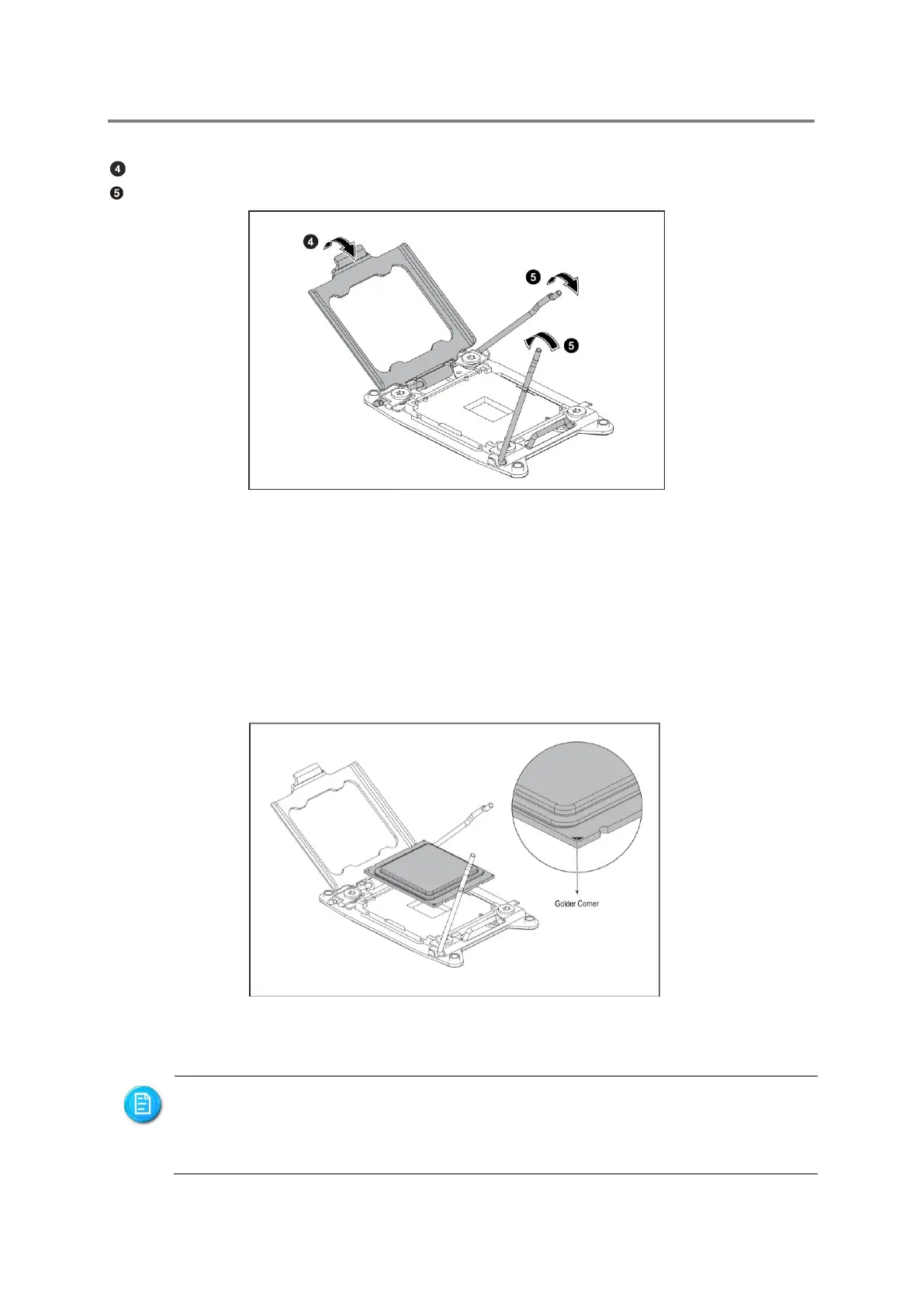
Close the load plate.
Lock the load lever.
Figure 2-6 Closing the Load Plate
2.4.4 To install the processor
Reverse the steps above to install the processor. However, when inserting the processor
into the socket, make sure that the golden corner on the processor is pointed toward the
socket as picture shows:
Figure 2-7 Pointing the Golden Corner toward the Socket
When the processor is in place, press it firmly on the socket while you push down
the socket lever to secure the processor. The lever clicks on the socket indicating
that it is locked.
The processor fits only in one orientation. Do not force the processor into the


 To Next Page