About This Manual
v
3 Connectors, Jumpers and Switches ..........................................................................32
3.1 Power Management Connector (J98)......................................................................32
3.2 Power connector (J89) ............................................................................................33
3.3 Fan Connectors (J106, J107, J108, J109, J110, J111, J112, J113, J114, J115, J116,
J117, J118, J119) ..............................................................................................................34
3.4 P12V Power Connector (J88, J20) ..........................................................................38
3.5 SATA Connectors (J40, J41, J42, J43, J44, J45) .....................................................39
3.6 SGPIO Connector (J46) ..........................................................................................42
3.7 Mini SAS Connectors (J104, J105) .........................................................................43
3.8 Front Panel Connector (J90) ...................................................................................45
3.9 Front USB Connector (J17) .....................................................................................46
3.10 PCI-E Slots (J64, J80) .........................................................................................47
3.10.1 PCI-Ex16 Slot (J64) ......................................................................................47
3.10.2 PCI-Ex8 Slot (J80) ........................................................................................48
3.11 SFP Connectors (J28, J29) .................................................................................50
3.12 NIC LAN and USB Ports (J95, J21) .....................................................................52
3.12.1 Dedicate NIC and Rear USB Connector (J95) ..............................................52
3.12.2 Gbe NIC LAN port (J21) ................................................................................53
3.13 COM and VGA Ports (J92) ..................................................................................55
4 BIOS Setup ...................................................................................................................58
4.1 BIOS Setup Utility ...................................................................................................59
4.1.1 Main .................................................................................................................59
4.1.2 Advanced .........................................................................................................60
4.1.3 Boot .................................................................................................................84
4.1.4 Security ............................................................................................................87
4.1.5 Save&Exit ........................................................................................................88
4.1.6 Event Logs .......................................................................................................89
4.1.7 Server Mgmt ....................................................................................................90
4.2 Utility and POST Code ............................................................................................94
4.2.1 BIOS Requirements .........................................................................................94
4.2.2 Rom Flash ........................................................................................................94
Appendix China RoHS Regulations .................................................................................. I
List of Figures
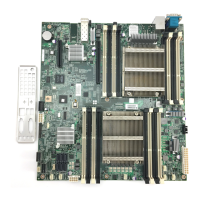
Figure 1-1 Motherboard Overview ............................................................................... 2
Figure 1-2 Connectors and Component Locations of Motherboard .............................. 4
Figure 1-3 LEDs of Motherboard Rear ......................................................................... 7
Figure 2-1 Remove and Install the System Battery .....................................................14
Figure 2-2 Location of Processors ..............................................................................15
Figure 2-3 Remove Heat Sink .....................................................................................16


 To Next Page