Delete: Deletes the patient data from the UroNav
system.
Go to patient folder: Takes the user directly to the
folder storing the patient’s procedure data.
Download from DynaLync: Transfers patient procedure
data from DynaLync Prostate to UroNav.
Upload to DynaLync: Transfers patient procedure data
from UroNav to DynaLync Prostate.
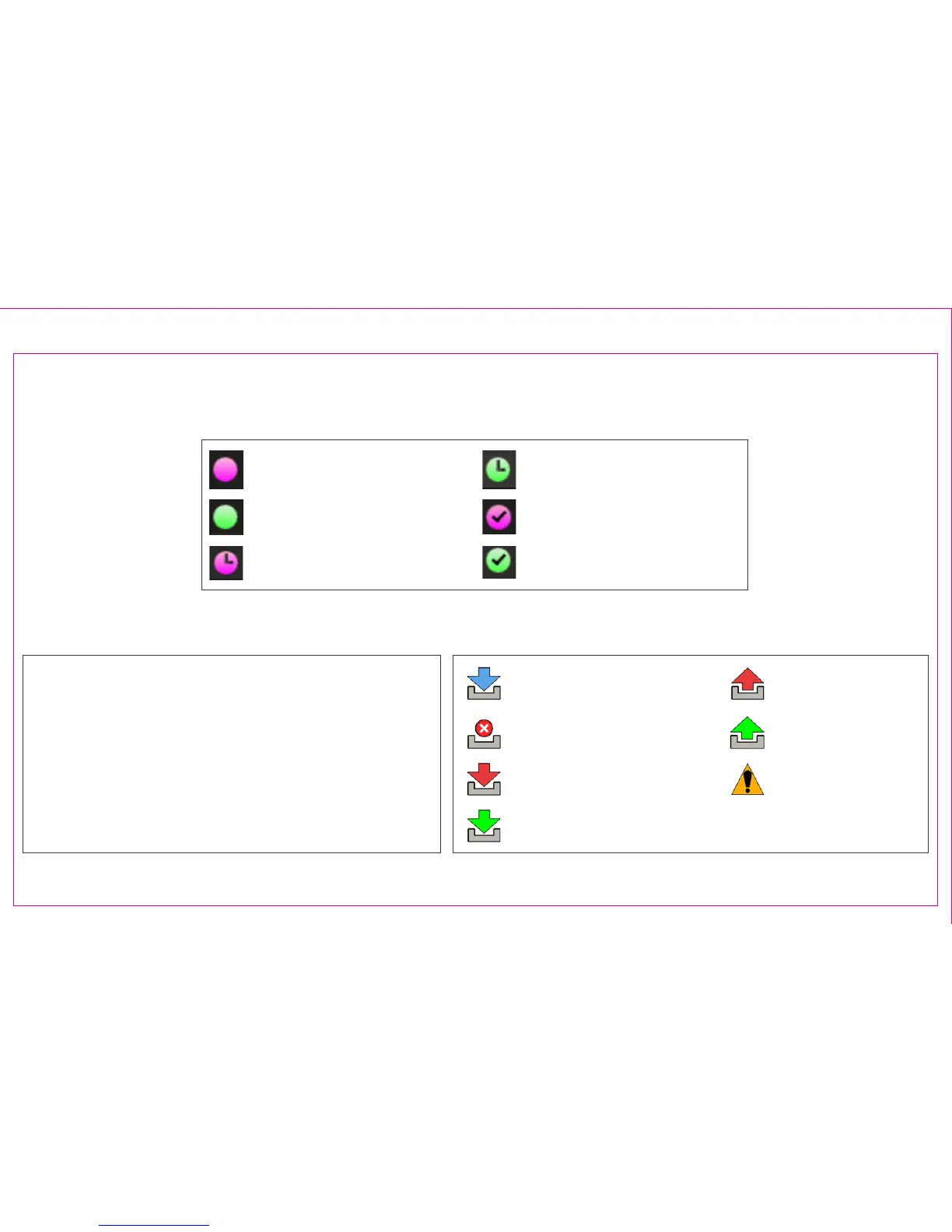
Procedure Status Icons for DynaLync (sold separately)
Procedure Status Icons (Note: Not all shown)
Download in Progress
Download Failed
Upload Failed
Upload Completed
Upload Not Ready
Download Completed
Download Cancelled
Right Click Context Menu Options
Page 8
Section 1.6: Patient Worklist – Schedule – Timeline (Continued)
MRI Fusion Patient Ready
U/S Only Patient Ready
MRI Fusion Biopsy Procedure
(Scheduled)
U/S Only Biopsy Procedure
(Scheduled)
MRI Fusion Biopsy Procedure
(Biopsied)
U/S Only Biopsy Procedure
(Biopsied)



 To Next Page