Page 46
Section 6: Transperineal Workow
Section 6.1: Tool Setup / Field Generator (FG) Positioning
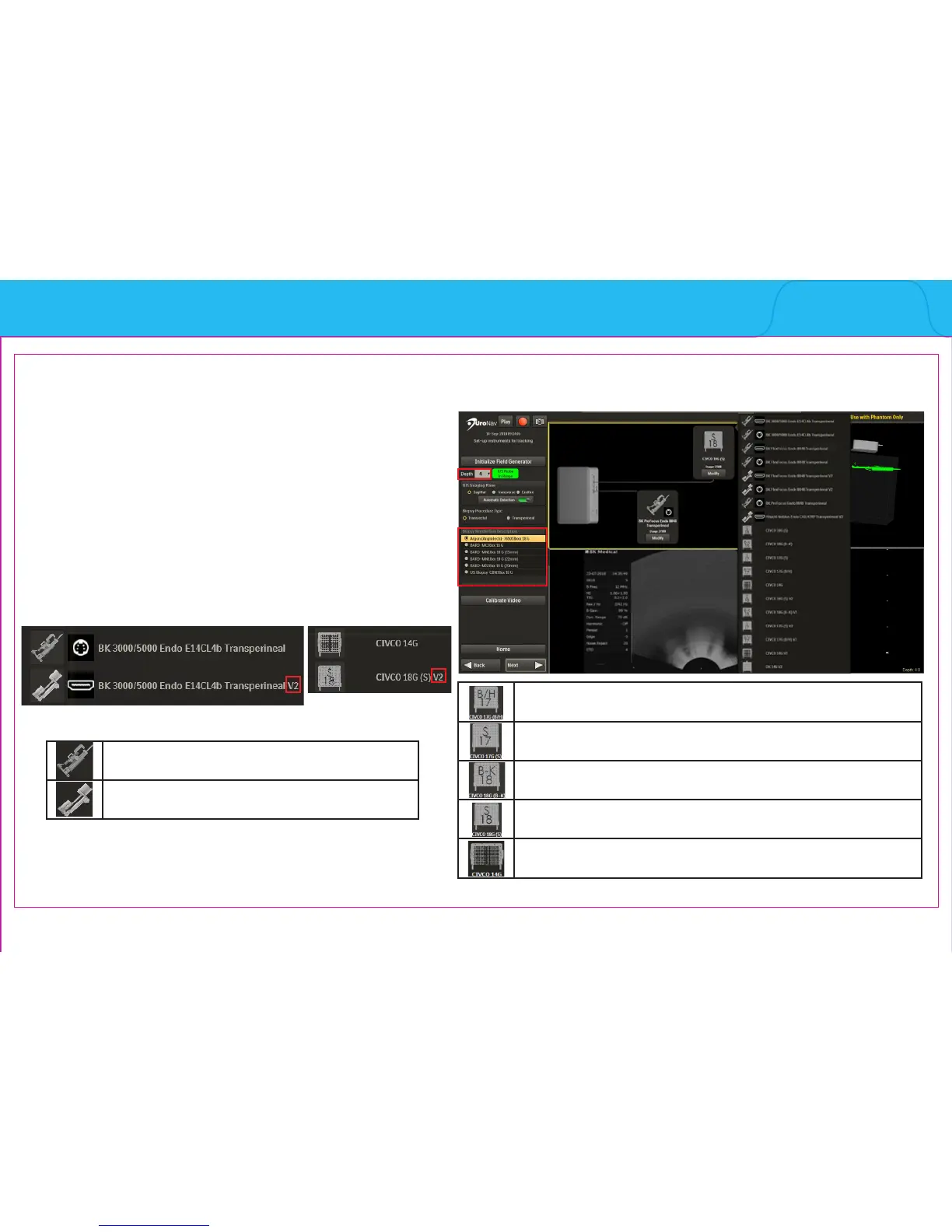
Initialize Navigation and Biopsy Instrument Tools
1. Match Depth on UroNav to Depth Display on US
2. Conrm Biopsy Needle/Gun
3. Verify FG Tracker Connection, US Model and
Probe Selection
Note: Transperineal V2 indicates second generation
stepper
Select for 17 gauge grid with B/H side facing user
Select for 17 gauge grid with S-side facing user
Select for 18 gauge grid with B-K side facing user
Select for 18 gauge grid with S-side facing user
Select for 14 gauge grid
Note: See Section 5: UroNav Supported Supplies
of this document for list of US models, probes and
biopsy supplies compatible with UroNav.
1
3
2
Indicates rst generation stepper
Indicates second generation stepper
Note:



 To Next Page