Backup Overview:
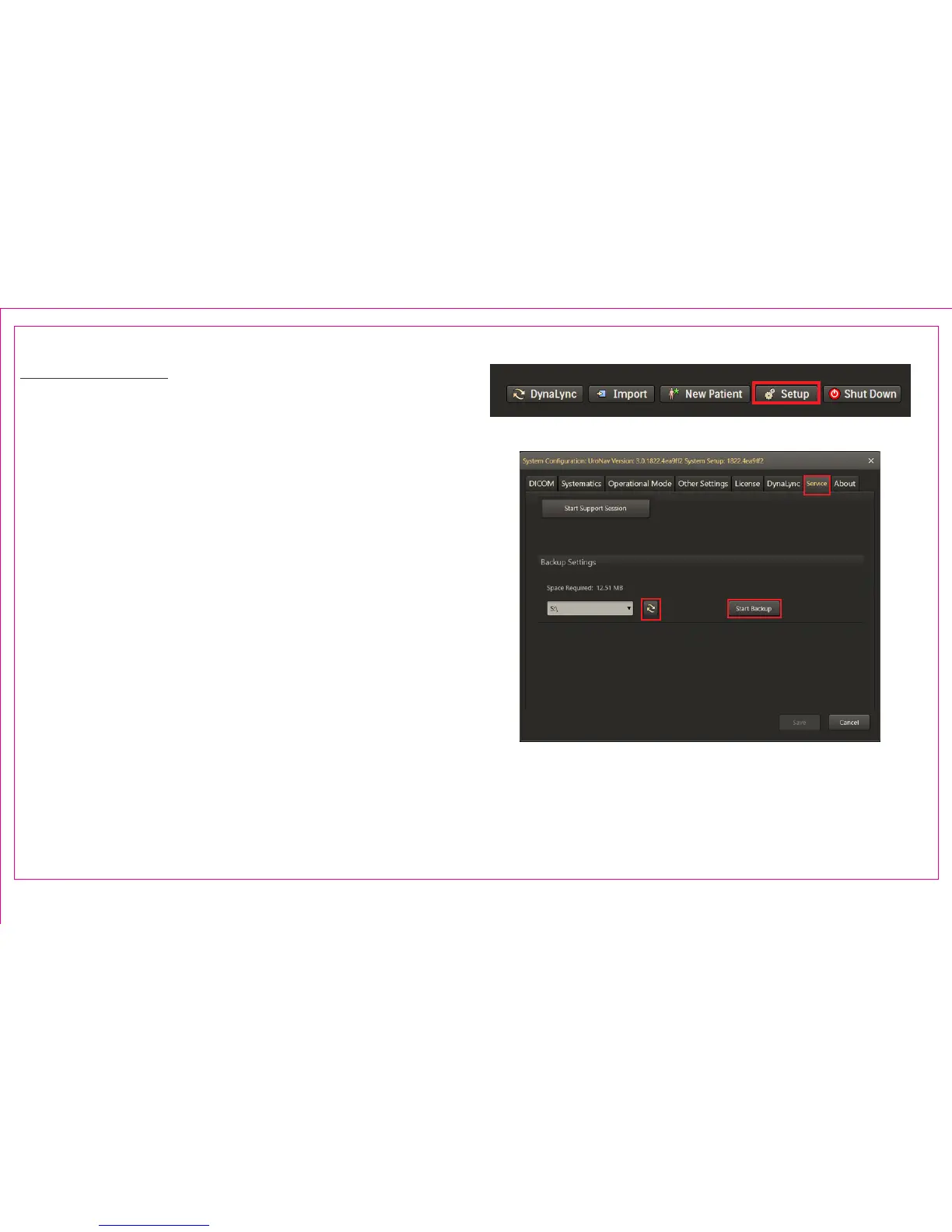
1. Select Setup from the main browser menu
2. Select the Service tab
3. Click the Start Backup button to backup UroNav data
to the selected external drive. Backup operation is
indicated by a progress bar. Once complete, UroNav
data is available in the external media.
4. Click the Refresh button to refresh the available
external drives in the dropdown list.
1
Page 20
2
34
Section 3.3: UroNav Data Backup



 To Next Page