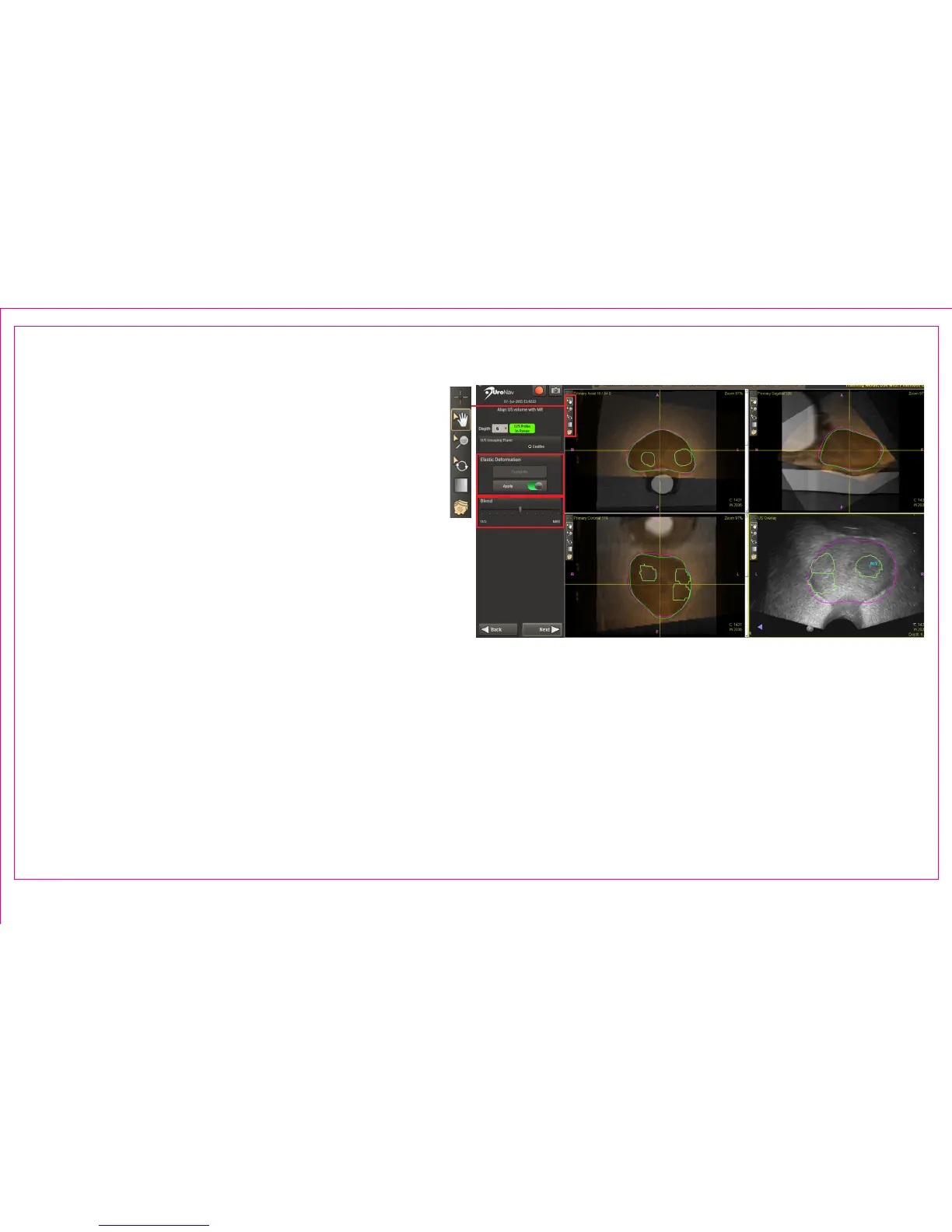
A semi-automatic 3D rigid registration is applied to
both volumes. Align and superimpose the green US
prostate boundary with the magenta MR prostate
boundary using anatomical landmarks.
1. Image Action Commands
• Manually complete registration through pan,
zoom, and rotation tools
• Conrm complete alignment using multiple
anatomical landmarks in at least two planes
Verify depth setting selection when switching
imaging planes with multi-planar US probes.
2. Elastic Deformation (toggle)
• Compute Elastic Deformation only after initial, rigid registration alignment
• Based on segmentation results, Elastic Deformation maps the MR volume elastically to the US volume
3. Multi-Modality Blend Tool adjusts blending superimposition for optimal visualization
Page 13
Section 2.4: Registration - Align US Volume with MR
1
2
3



 To Next Page