Page 21
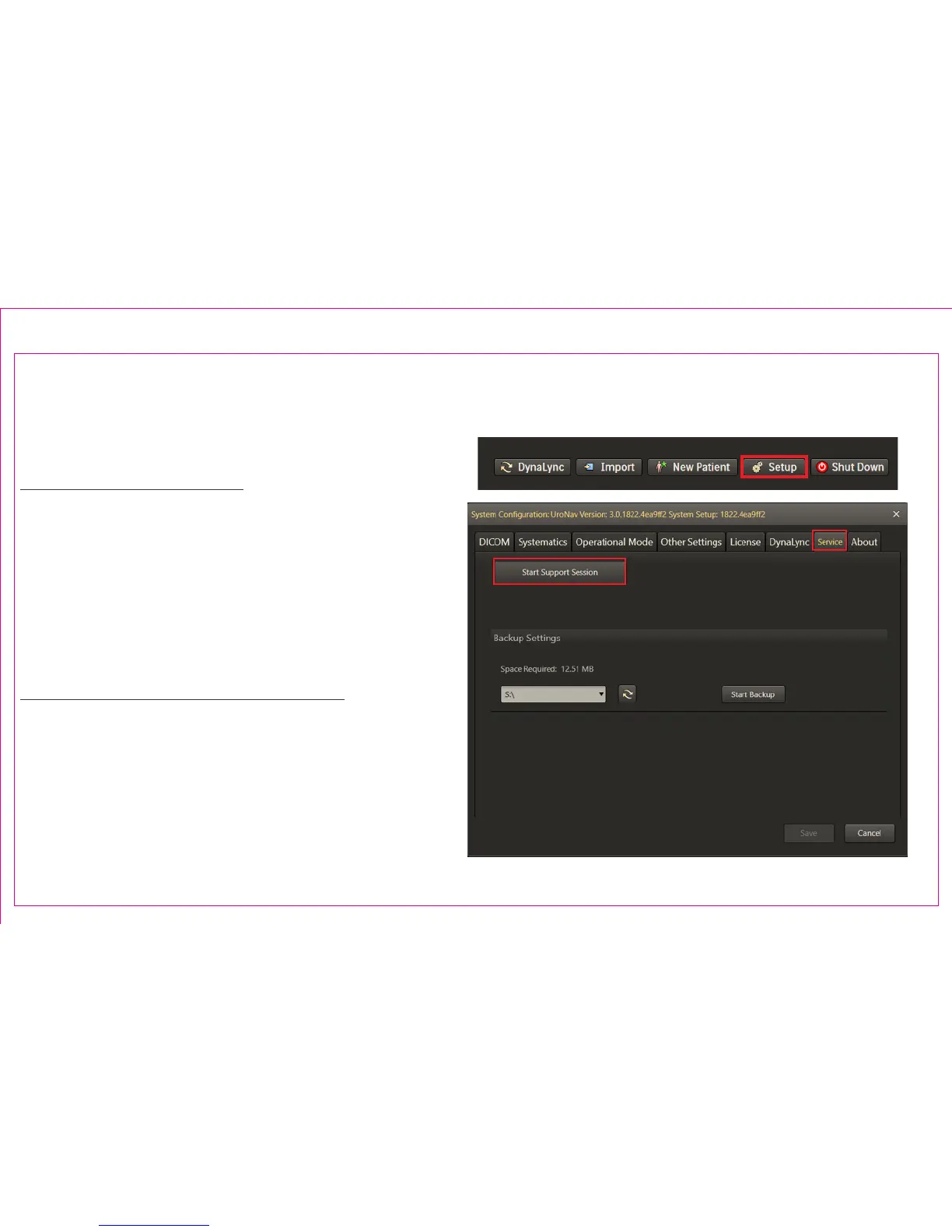
The UroNav system can be connected remotely with a service representative via a support session. Support
sessions require a live network connection.
To Start a Support Session:
1. Select Setup from the main browser menu
2. Select the Service tab
3. Select Start Support Session to establish a remote
connection to a service representative. The service
representative will need to validate credentials to
gain access to UroNav.
Technical Support Contact Information:
email: dyna.support@philips.com
Phone: (USA) 1-877-468-4861
Phone: (International) + 44 07867908926
2
3
Section 3.4: UroNav Service Support
1



 To Next Page