*(end-re US TRUS probe only)
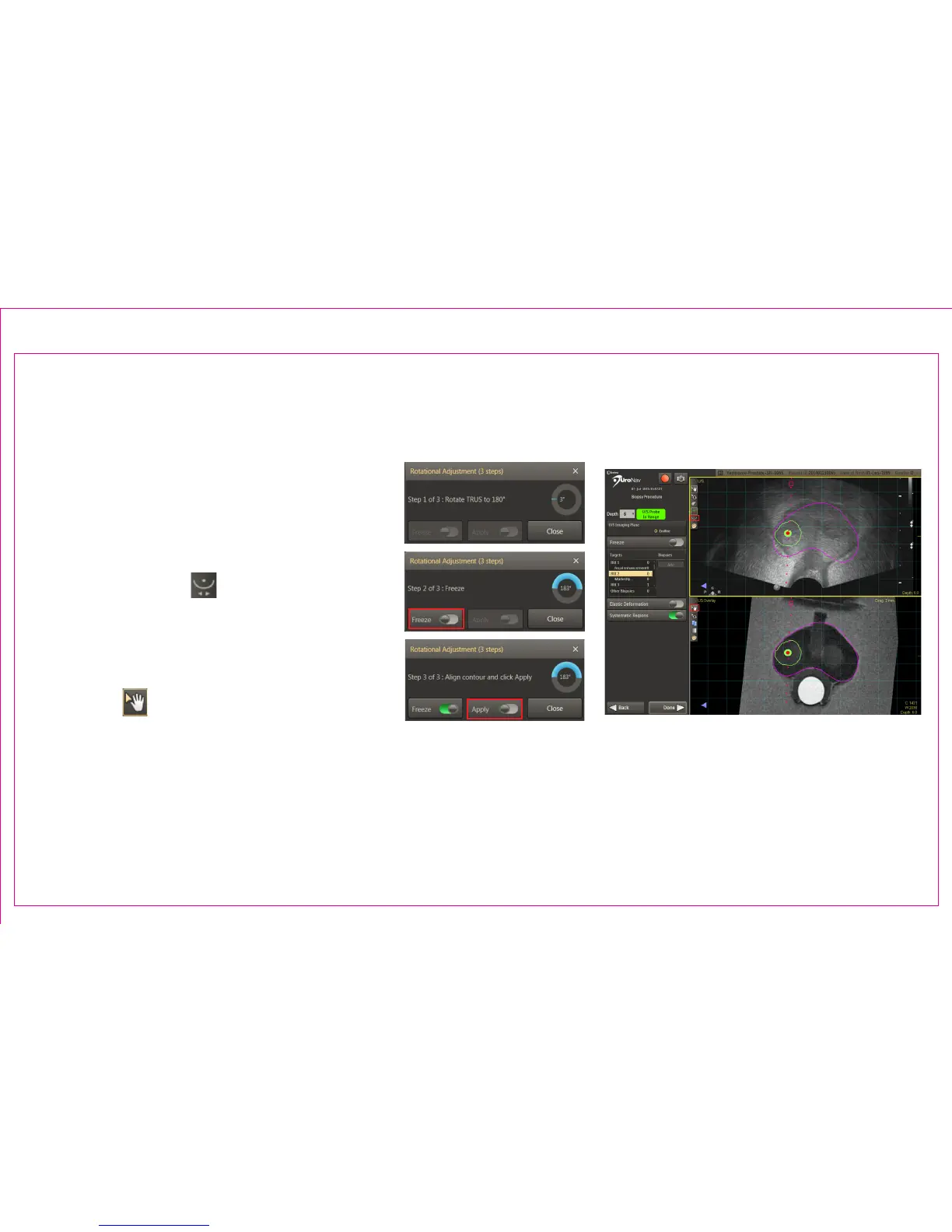
Fine tune the initial registration for possible
variances in the apex location after rotating
the probe 180° from the original sweep
orientation.
1. Select Rotational Adjustment icon in the
top left viewport
2. Follow screen prompts to rotate the
TRUS probe 180± 5° from original sweep
position
3. When indicated, press Freeze
4. Use Pan from the MR view (bottom
panel) to align the magenta contour
with the live, U/S view (top panel). Press
Apply.
Page 14
Section 2.5: Biopsy Navigation – Rotational Adjustment
2
3
4
4
1



 To Next Page