Rename: Allows changes to a selected target label.
Delete: Removes selected target.
PI-RADS: Displays Prostate Imaging Reporting and
Data System information for the selected target.
Right Click Context Menu Options
MRI-imported target
Note: The bull’s-eye for MRI-imported targets represents
the calculated center of the identied target
Manually-added target
Note: Manually added targets are visually distinct from
imported targets
MRI-imported sub-region
Note: A sub-region target is drawn in relation to the
parent target (blue)
Systematic plan region
Note: Systematic plan regions do not include a bull’s-eye
Section 2.1: Review Segmentation & Targets Screen
Section 2: UroNav Intra-Procedure
Page 9
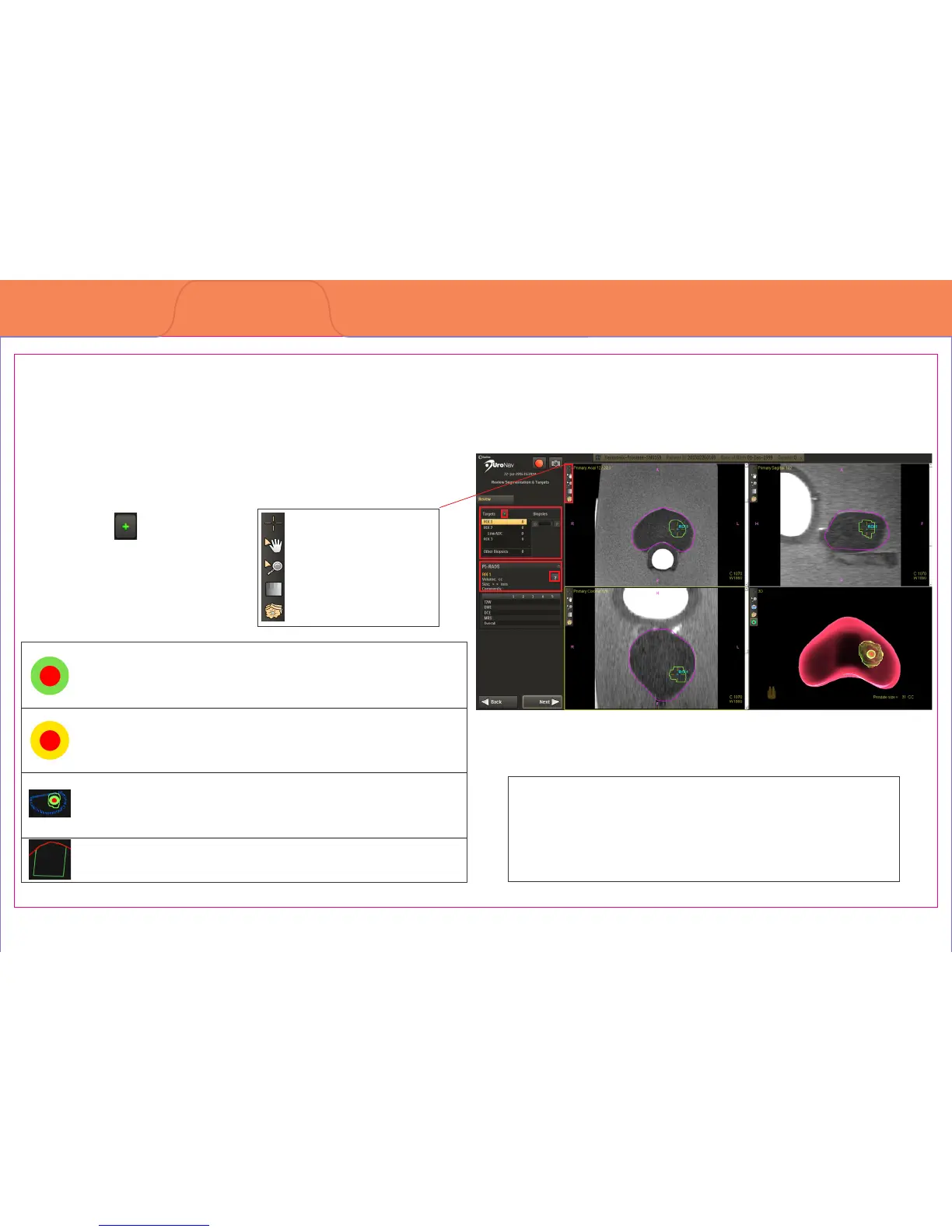
Preview MRI-dened prostate boundary and biopsy targets in Tri-planar MRI format
1. Image Action Icons
2. MRI-dened Target and
Biopsy list or Add New
Targets
3. PI-RADS Target
Metadata
4. Target Identication
3
2
1
4
Mouse pointer
Pan image
Zoom the image
Auto Window & Level
Show/Hide all targets



 To Next Page