Page 10
Section 2.2: Tool Setup / Field Generator Positioning
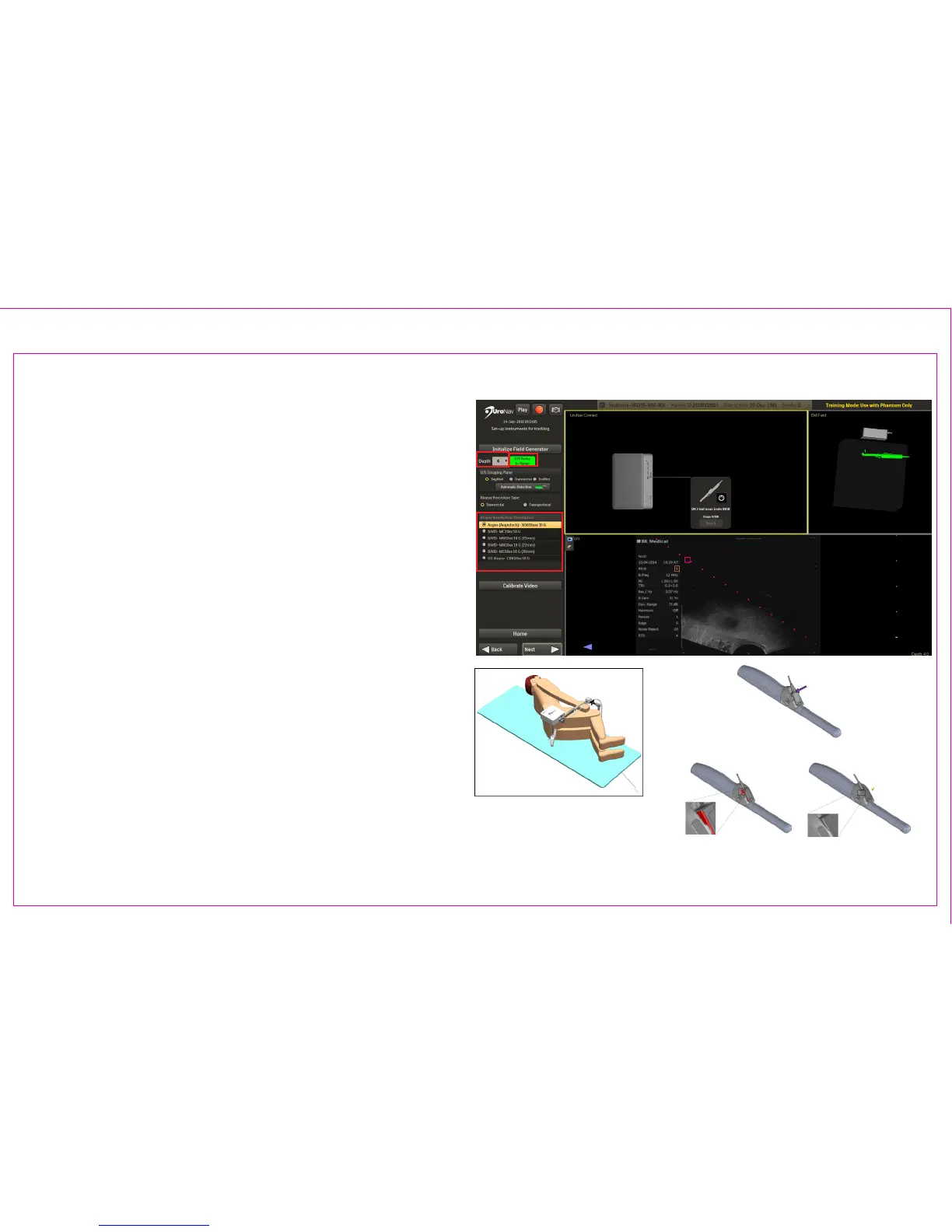
Initialize Navigation Tools to create Electromagnetic
(EM) Field for Fusion Registration, Targeting, and
Recording Biopsy Core Samples
1. Match Depth on UroNav to Depth Display on US
2. Conrm Biopsy Needle/Gun
3. Verify FG Tracker Connection, US Model and
Probe Selection
4. EM Tracker Status
A. The color represents the range found
within the generated EM eld
B. Green color shows tracking “In Range”
5. Verify live US Video feed and Biopsy Needle
Trajectory
3
2
4
1
5
Position FG directly
over tracking device(s)
following US probe
insertion
Attach Tracker to Probe Holder
Apply Force Until Flush
*TRUS probe and holder may vary
Note: See Section 5: UroNav Supported Supplies
of this document for list of US models, probes and
biopsy supplies compatible with UroNav.
4



 To Next Page