36
Option 1: Via QR Code
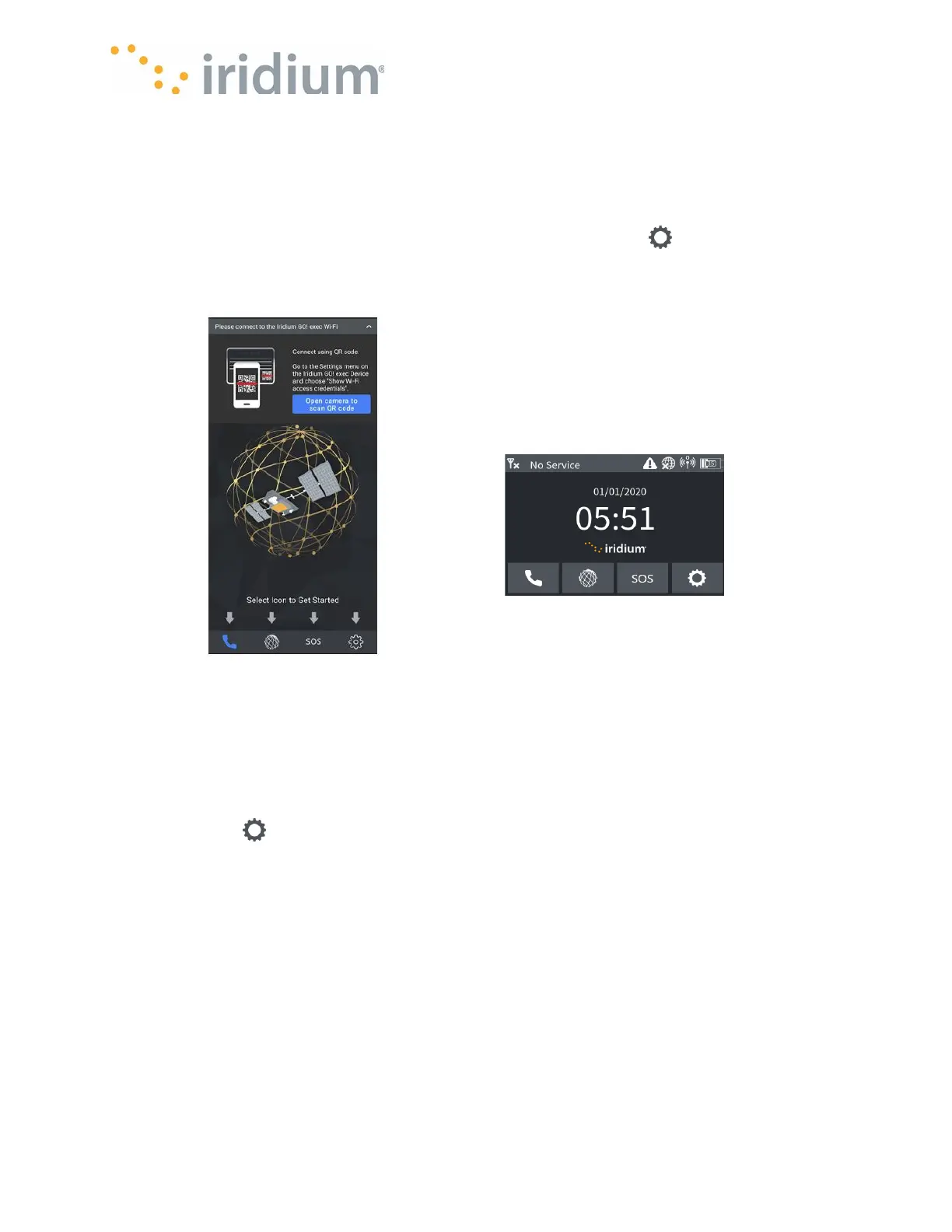
• If you have the Iridium GO! exec in reach, you can scan its QR code using the smart device
camera to connect to the Iridium GO! exec device's Wi-Fi. Open your Iridium GO! exec app
and select the status bar asking you to connect to the Iridium GO! exec Wi-Fi and select the
button requesting to scan the QR code.
• On the Iridium GO! exec from the home screen select Settings icon then choose
”Show Wi-Fi Access Credentials” option to display the QR code. Point your smart device
camera at the QR code. Follow the onscreen prompts to connect the Iridium GO! exec App to
your Iridium GO! exec.
Option 2: Via Native Phone Wi-Fi Configuration
To manually connect your smart device to the Iridium GO! exec Wi-Fi, perform the following steps.
• Make sure the Iridium GO! exec is turned on. (Briefly tap the screen, if the display does not
light up, you have to power on the Device by pressing the power button or lifting up the internal
antenna upright).
• Find the Wi-Fi network name and password of your Iridium GO! exec by navigating to the
settings page , then selecting ”Show Wi-Fi access credentials” option to display the QR code
screen. Press the Show Password button to reveal the Wi-Fi password.
NOTE: the Wi-Fi network name (SSID) and the password.
• Navigate to the Wi-Fi network selection screen on your smart device.
• Select the Wi-Fi network name matching that of your Iridium GO! exec from the previous step.
• Enter the Wi-Fi password of your Iridium GO! exec from the previous step.
• Your smart device should now be connected to the Iridium GO! exec Wi-Fi network.
NOTE: If you have not started a satellite data session, your smart device may notify you that
the Wi-Fi has no internet access. This is expected if your Iridium GO! exec is not currently in a
data session. Please refer to Connection Manager section for how to enable a data section.
NOTE: It is also strongly suggested you change the Wi-Fi network type on your smart device to
“Metered” (for Android) or “Low Data Mode” (for iOS) so the amount of background data is
minimized.



 To Next Page