48
For information on accessing the SOS service on the Iridium GO! exec App, see section Starting
an SOS.
Internet
Connecting to the Iridium GO! exec device
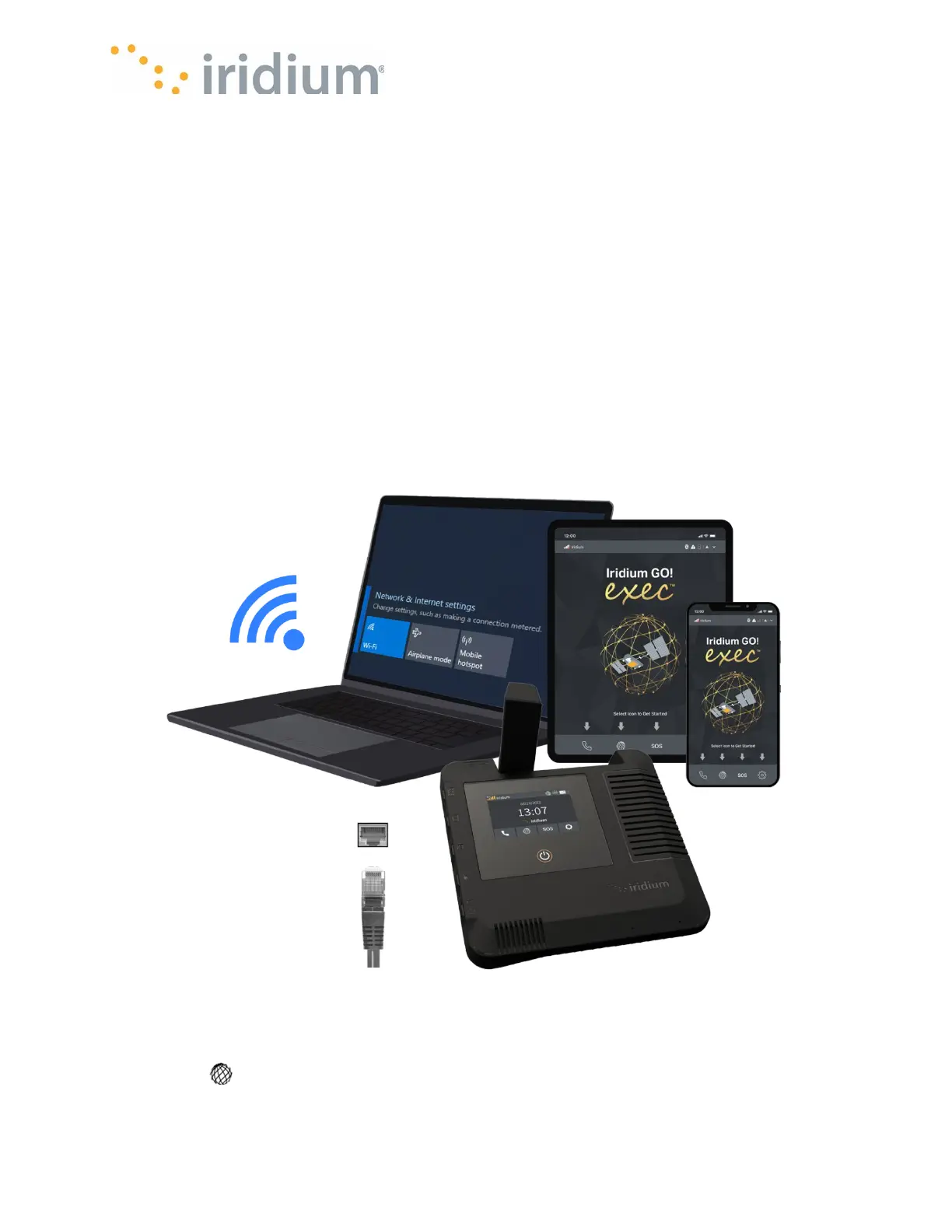
There are 2 ways to connect to the device:
Wireless via Wi-Fi:
• User can connect any smart device or laptop using the Wi-Fi. The user would then be able to
manage their internet connection via the device’s touchscreen UI and use the desired PC or
smart device application.
Wired via Ethernet:
• User can use the ethernet port to connect to another device using an ethernet cable. The user
would manage their internet connection via the device touchscreen UI and use the desired
applications on their laptop.
Connection Manager
Once the Iridium GO! exec indicates it is registered on the Iridium network, it supports up to 88
Kbps data speeds for downlink and 22 Kbps for uplink. To start an internet connection, select the
Internet icon from the home screen. The device comes equipped with a Connection Manager
feature that offers the users the ability to manage data usage by the following:



 To Next Page