75
Web/App Profile
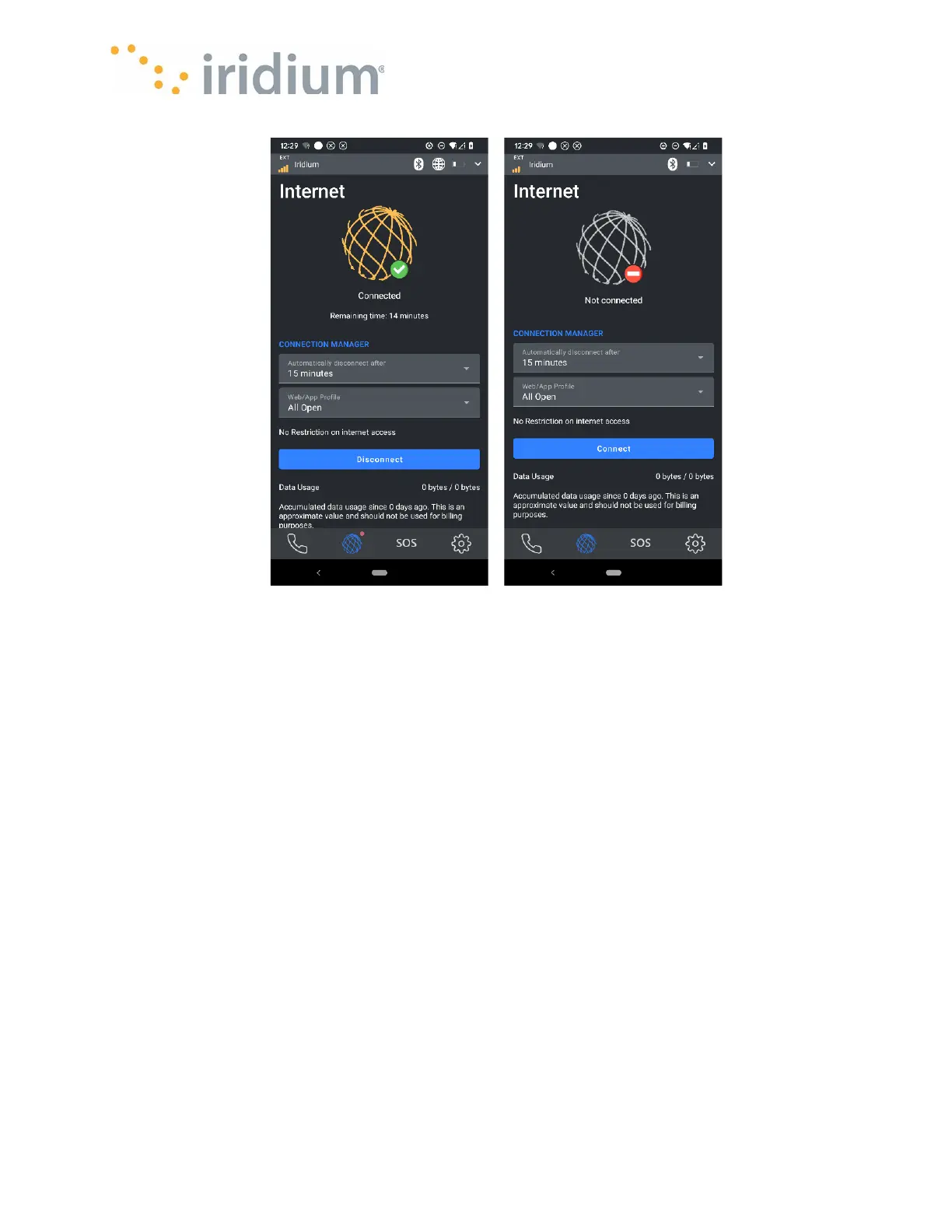
Using Web/App Profile s for data sessions:
As satellite data is more expensive than cellular data, it’s important to only allow the data you want
to go over the satellite network. Some Web/App Profile s set the rules to allow or block traffic from
going over the satellite network, so it’s important to choose the right profile for your data
connection. These profiles can be accessed from the:
• Iridium GO! exec device - On the Internet screen, tap the Web/App Profile drop down arrow to
see the list of available profiles. Once a profile and session time is selected, press the Connect
button to start the data session.
• Application – On the Internet screen, tap the Web/App Profile drop down arrow to see the list of
available profiles. Once a profile and session time is selected, press the Connect button to start
the data session.
NOTE – When a data session is in progress the active profile can be changed at any time from the
Iridium GO! exec device or the Application.
The device/app will come with preset Web/app profiles for some commonly used applications,
which are pre-configured firewall settings and also an option for adding advanced custom defined
profiles.
Default Web/App profiles include:
1. WhatsApp
2. Teams (Chat only)



 To Next Page