62
Power Bank Mode
The Iridium GO! exec can charge a Smart Device via the Data USB-C port. Charging is limited to a
maximum rate of 5v @1A. The Iridium GO! exec will protect itself from excessive battery drain
during external Smart Device charging and will stop charging when the internal battery reaches
22%.
NOTE: The Iridium GO! exec must be turned on or in power off charging state for a Smart Device
to be charged.
Using Iridium GO! exec with Iridium GO! exec App
Iridium GO! exec App Overview
Running the Iridium GO! exec App for the First Time
(Onboarding)
The Iridium GO! exec App will guide the user through the following set of onboarding screens
when run for the first time:
Terms and Conditions – The user can read the Terms and Conditions attached to using the App
by clicking the Terms and Conditions link. The Terms and Conditions must be accepted to use the
App.
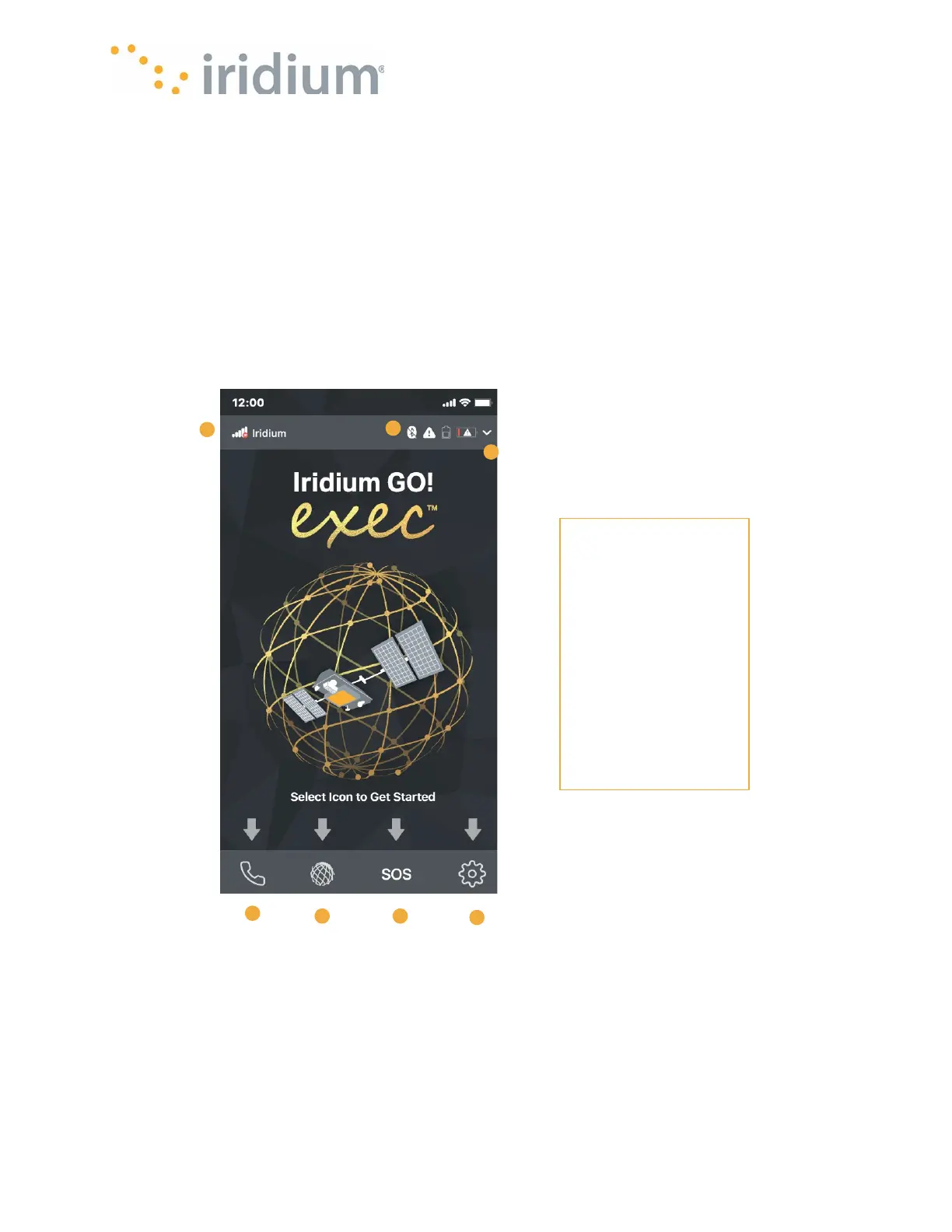
2. Call Icon
3. Internet Icon
4. SOS Icon
5. Settings Icon
6. Status icons
• Bluetooth
• Alerts
• External
Phone
Charging
• Battery Status
7. Status Details



 To Next Page