65
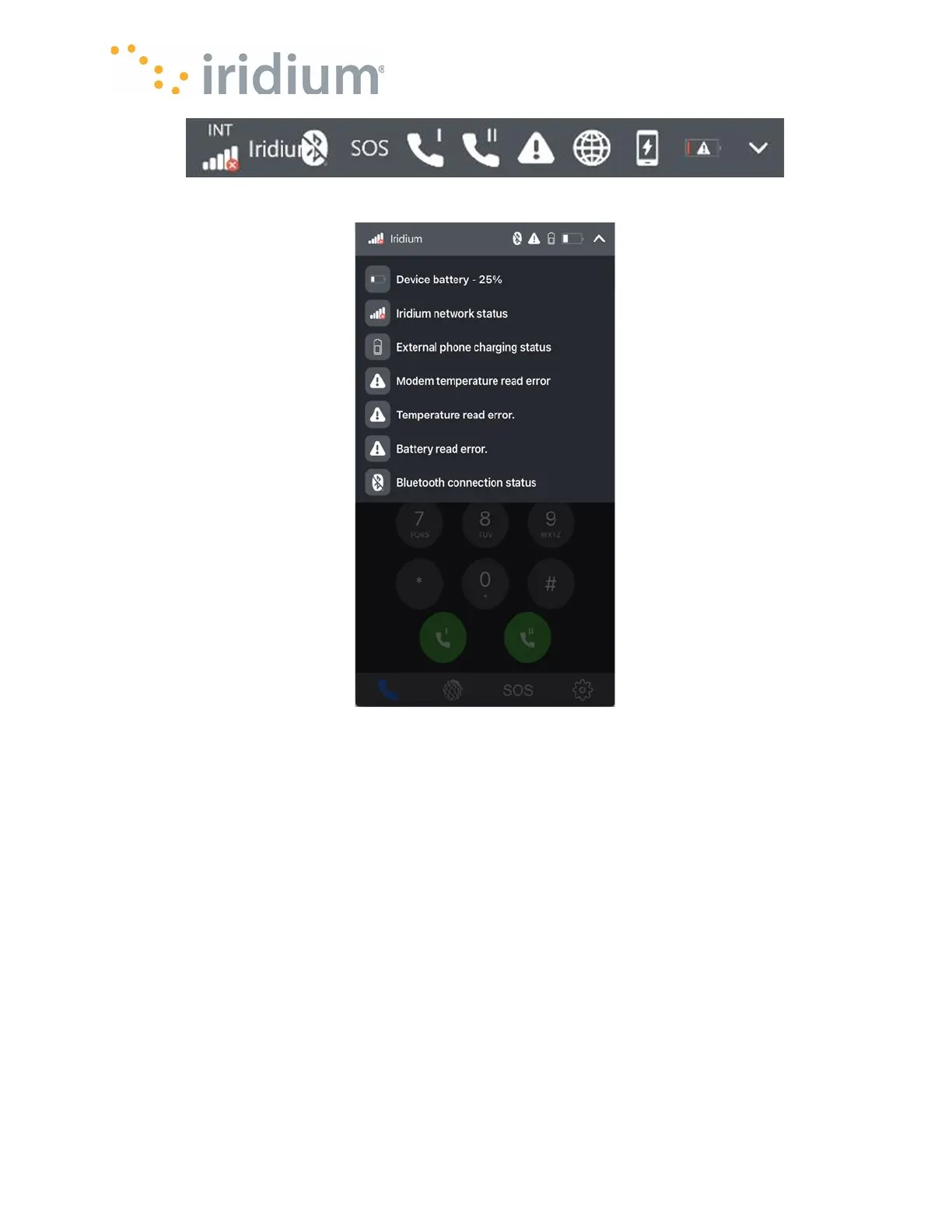
Status Bar
Settings
Tap the down arrow on the right side of the status bar to see a more detailed explanation of the
currently displayed icons
1. Satellite Signal Strength
The current satellite signal strength is indicated on a scale of 1 to 5 bars.
When there is no signal available, the signal strength will show an X overlaid on the antenna
bars
Antenna Usage:
The satellite antenna being used is indicated above the signal strength.
INT – The internal antenna is being used.
EXT – The external antenna is being used.
2. Iridium Registration
When the Iridium GO! exec has sufficient signal to register on the network, the word “Iridium”
will be displayed next to the signal bars.



 To Next Page