Chapter 7 ACCUMULATOR MODE
ACCUMULATOR MODE
7.1 MANUAL INPUT ACCUMULATION
1.
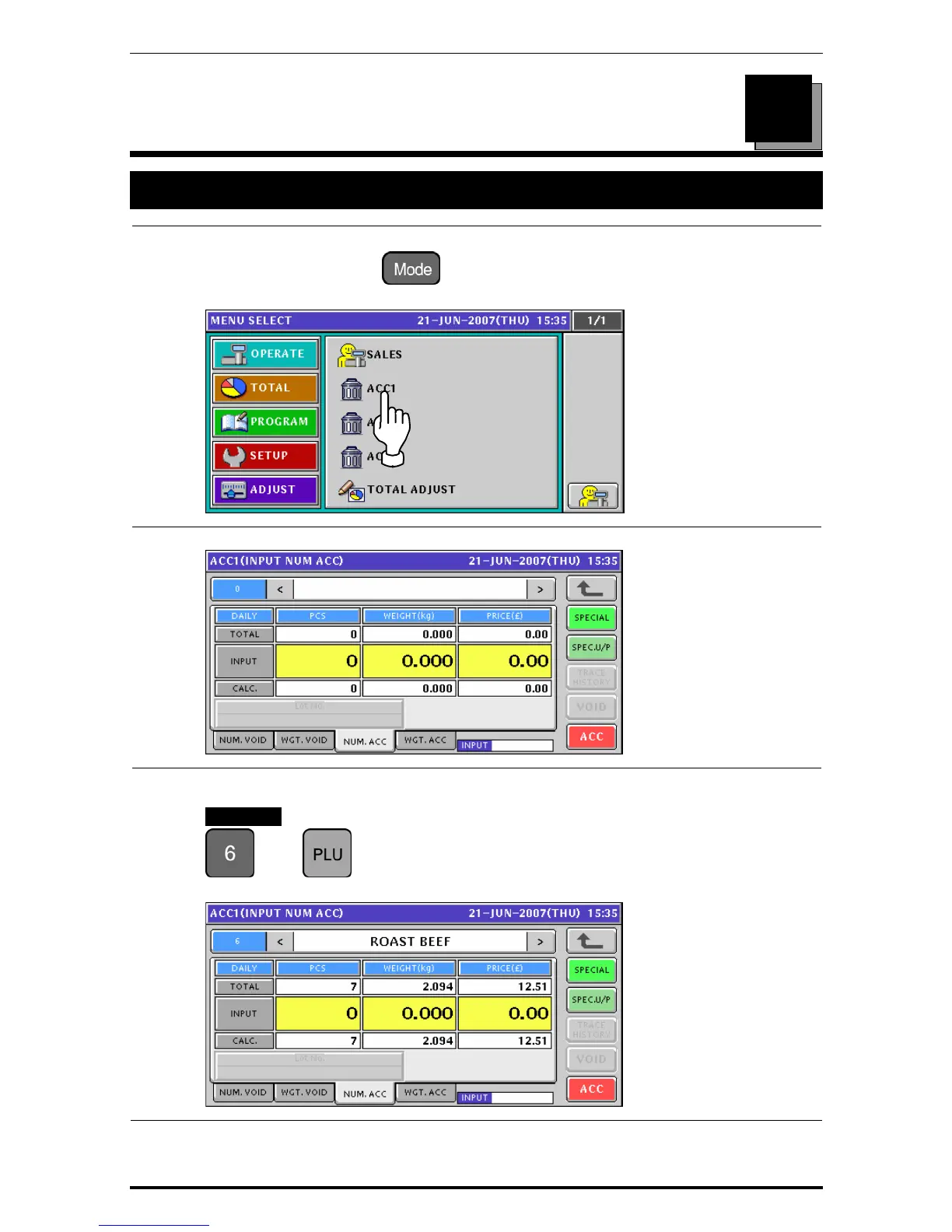
To get the Operation Menu Select screen, press the [MODE] key on the key sheet.
Then, press the “ACC (Accumulator)” filed.
2.
The Accumulator (Input Number Accumulation) screen appears.
3.
Enter a desired PLU number and press the [PLU] key on the key sheet.
EXAMPLE PLU number “6”.
Î
The Input Number Accumulation screen for the selected product appears.
7
Uni-7 User’s Manual 7-1


 To Next Page
 Loading...








