Chapter 10 PROGRAM MODE
10.7 STORE NAME REGISTRATION
10.7.1 CHANGING EXISTING STORE DATA
1.
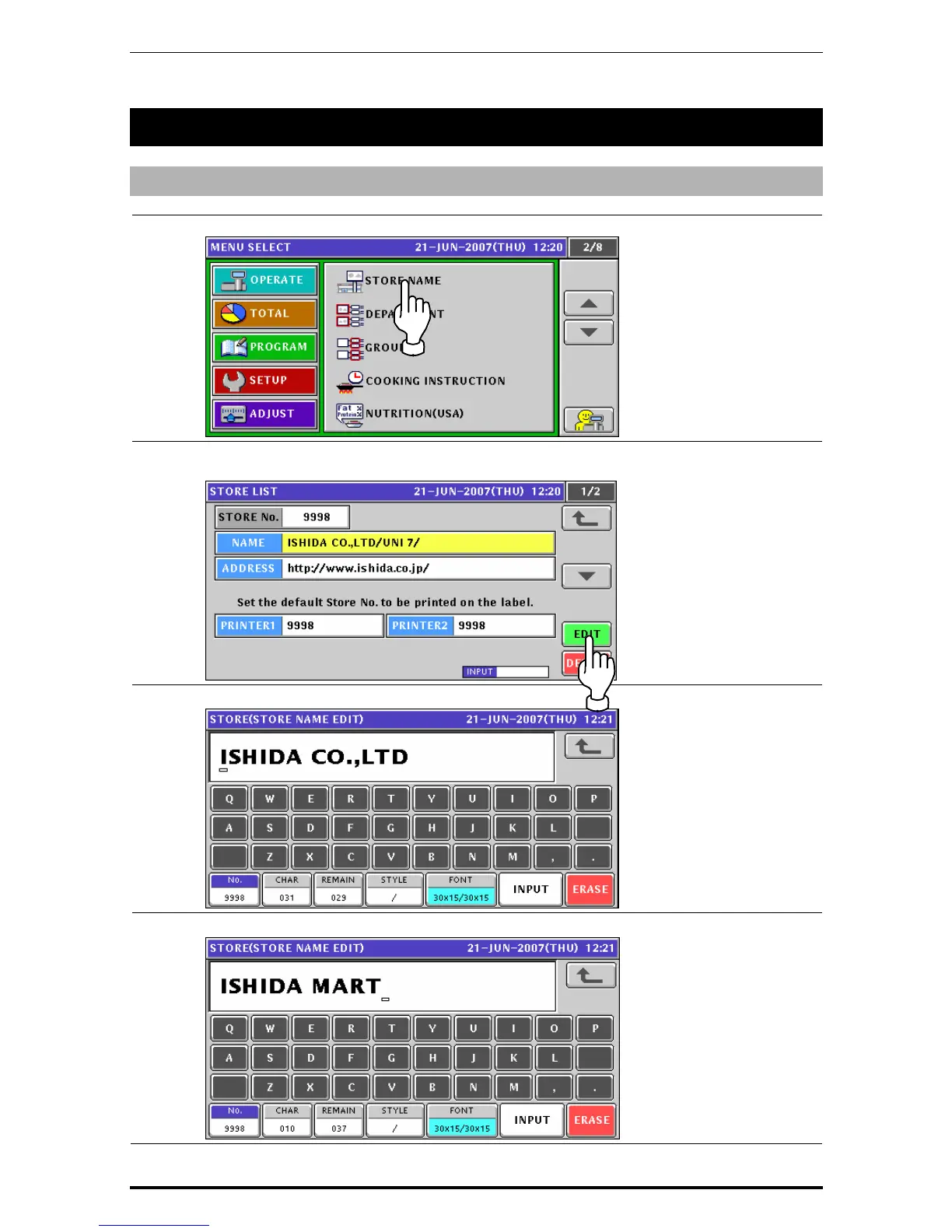
Press the “STORE NAME” field on the Program Menu Select screen.
2.
The default store data screen appears.
When changing the store data, press the [EDIT] button.
3.
The Store Name Edit screen appears.
4.
Edit a text according to the procedures described in Appendix “Text Editing”.
10-46 Uni-7 User’s Manual


 To Next Page
 Loading...








