Chapter 10 PROGRAM MODE
10.20.2 CHANGING EXISITING PRICE MARKS
1.
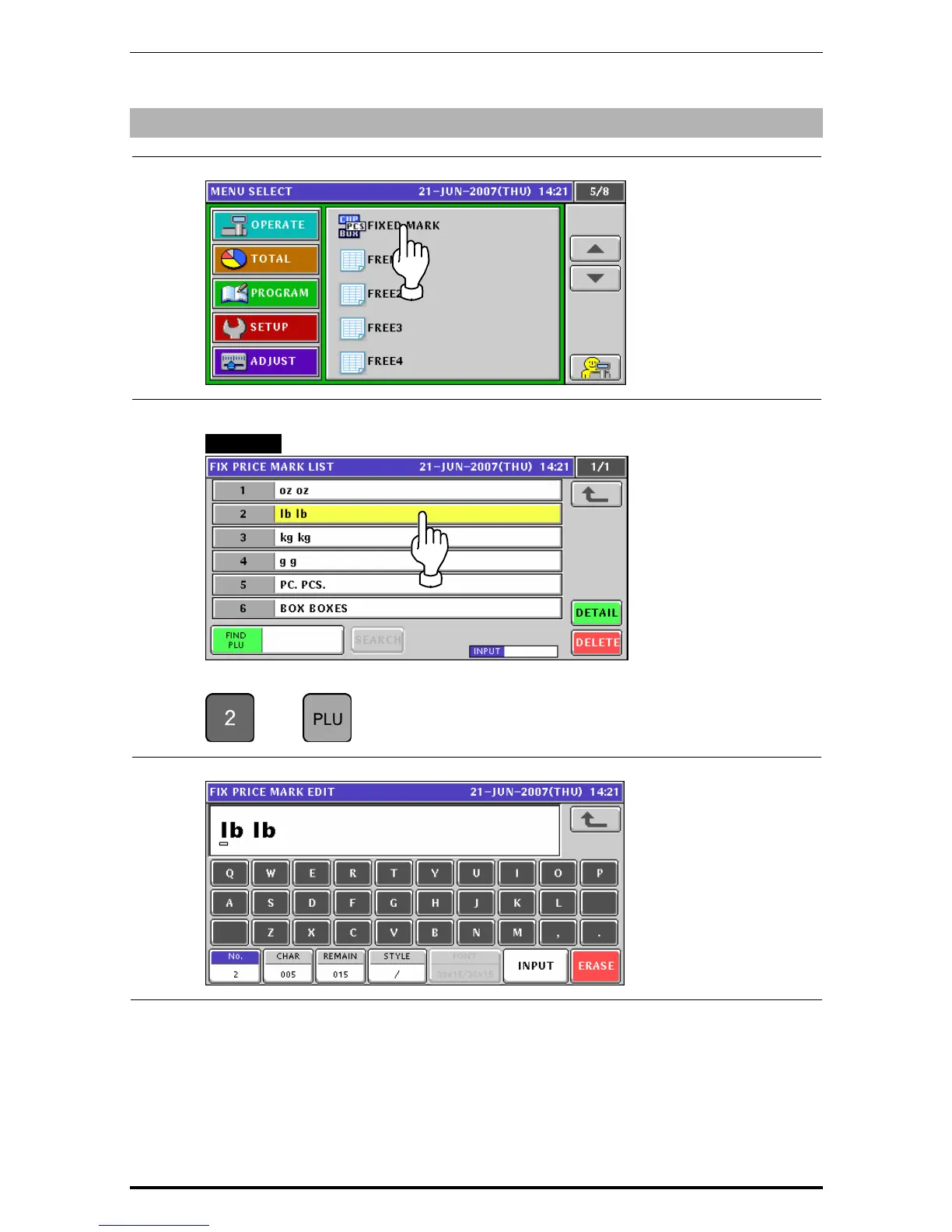
Press the "Fixed Mark” field on the Program Menu Select screen.
2.
Select a desired mark number by pressing the corresponding field.
EXAMPLE Mark number “2”.
or press the [PLU] key on the key sheet after a numeric entry.
Î
3.
The Fix Price Mark Edit screen appears.
Uni-7 User’s Manual 10-113


 To Next Page
 Loading...








