Chapter 10 PROGRAM MODE
10.17 GEN TABLE REGISTRATION
1.
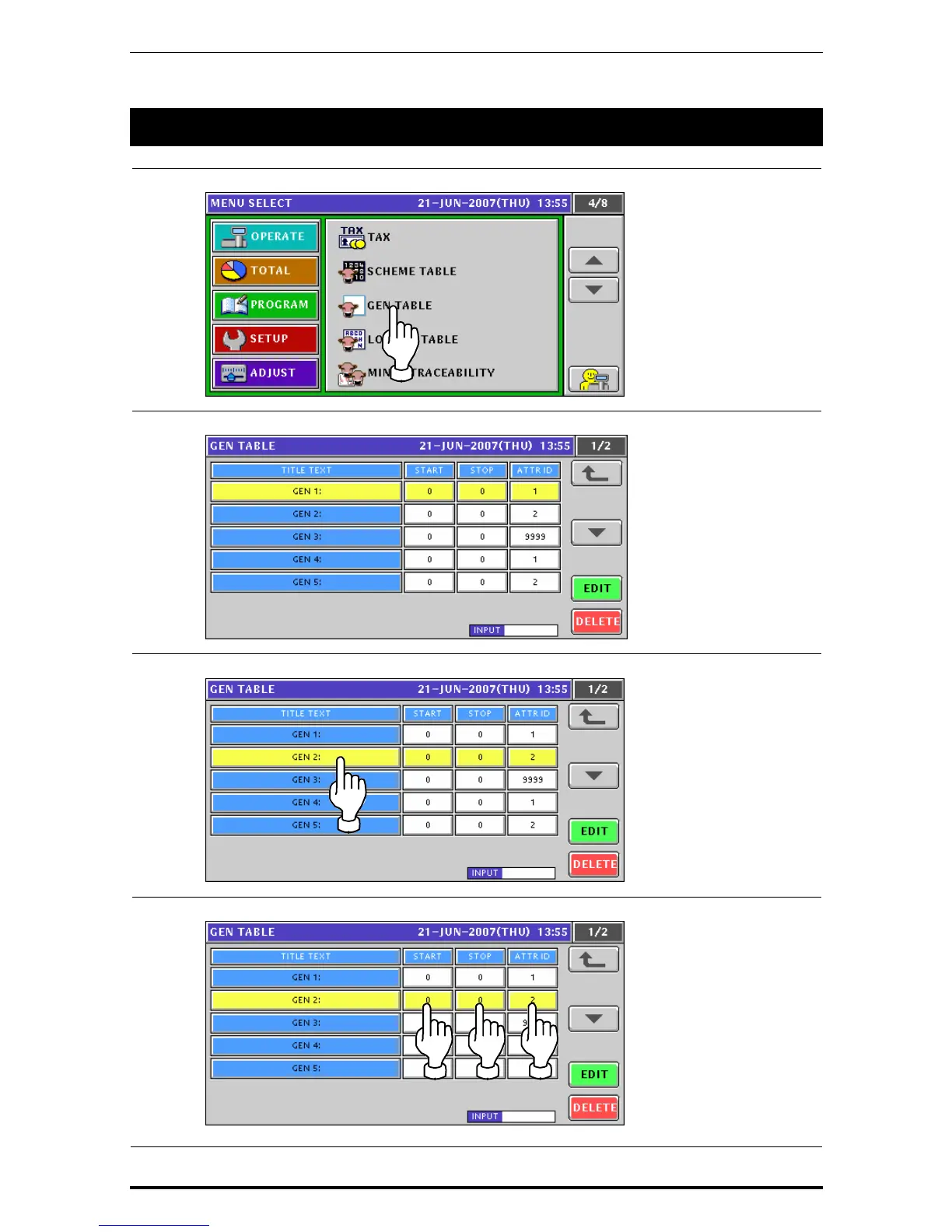
Press the "GEN Table” field on the Program Menu Select screen.
2.
The GEN Table screen appears.
3.
Select a desired GEN table by pressing the corresponding field.
4.
Enter a numeric value and press the corresponding field.
10-96 Uni-7 User’s Manual



 To Next Page