Chapter 10 PROGRAM MODE
10.10.2 CHANGING EXISITING INSTRUCTIONS
1.
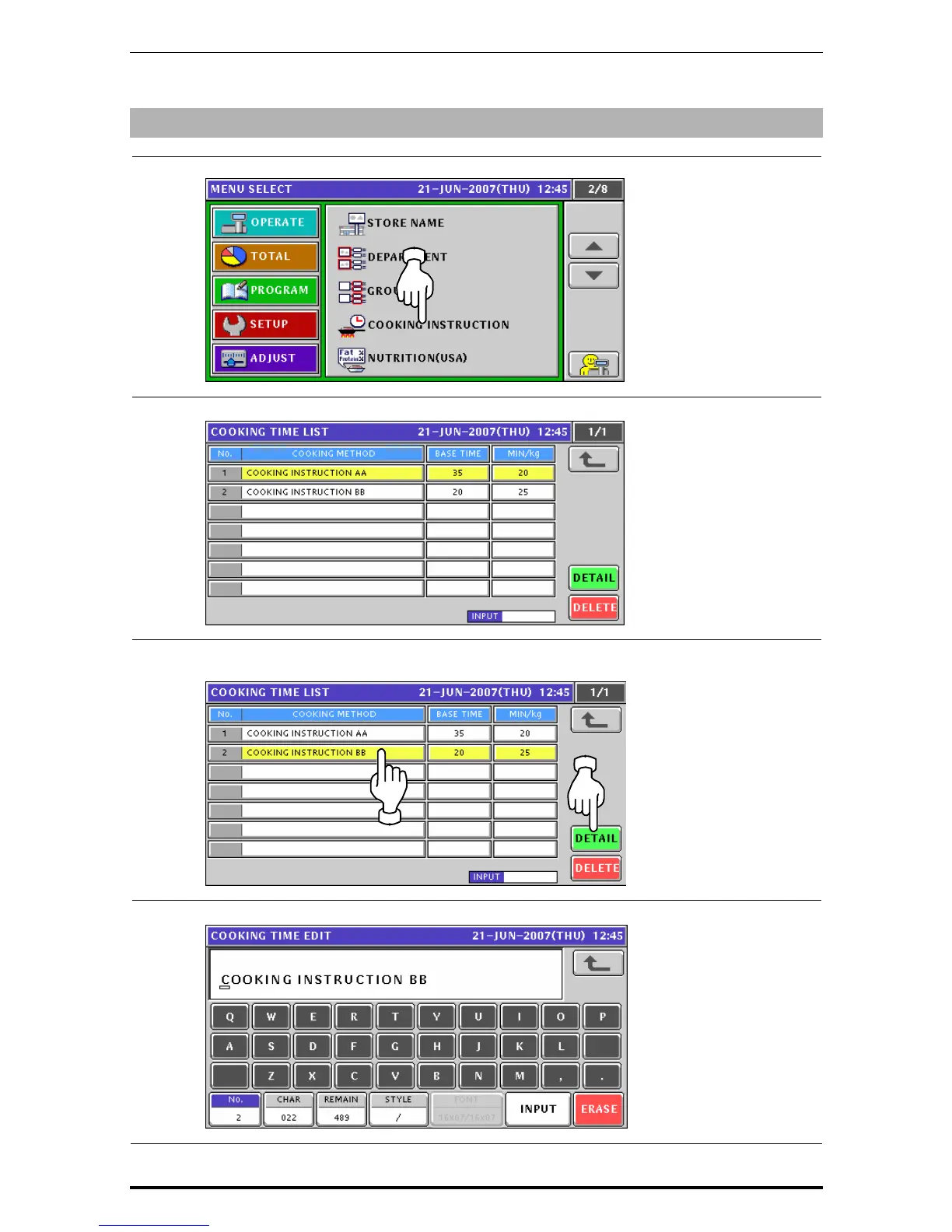
Press the "Cooking Instruction” field on the Program Menu Select screen.
2.
The Cooking Time List screen appears.
3.
When changing an existing data, press to select a desired field and press the [DETAIL]
button.
4.
The Cooking Time Edit screen appears for the selected instruction
Uni-7 User’s Manual 10-67


 To Next Page
 Loading...








