Chapter 10 PROGRAM MODE
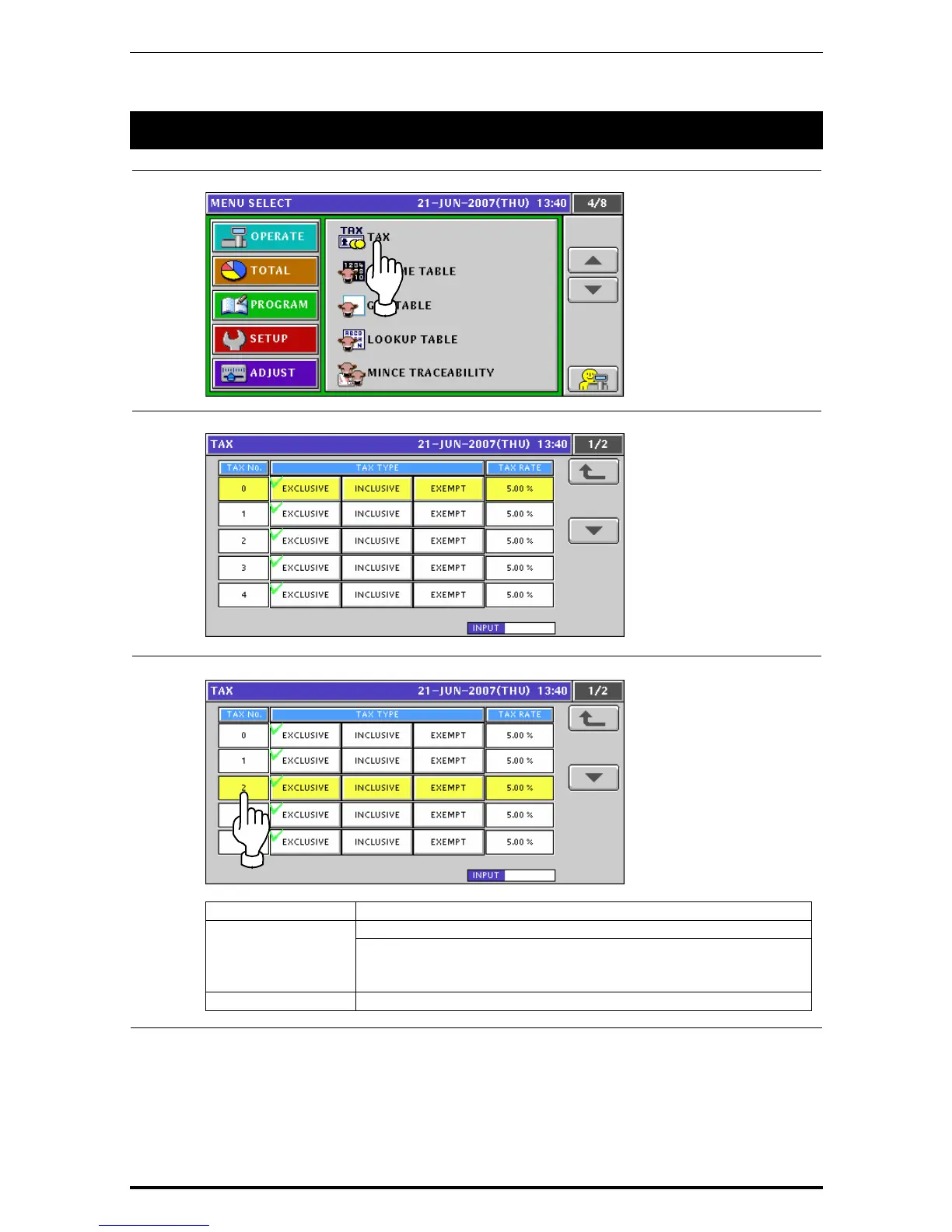
10.15 TAX REGISTRATION
1.
Press the "Tax” field on the Program Menu Select screen.
2.
The Tax List screen appears.
3.
When changing a tax system, press to select a desired field.
ITEM DESCRIPTION
Press to select one of tax types. TAX TYPE
Exclusive tax
Inclusive tax
Tax exemption
TAX RATE Enter a numeric value and press this field.
Uni-7 User’s Manual 10-87


 To Next Page
 Loading...








