Chapter 10 PROGRAM MODE
10.4 OPERATOR REGISTRATION
1.
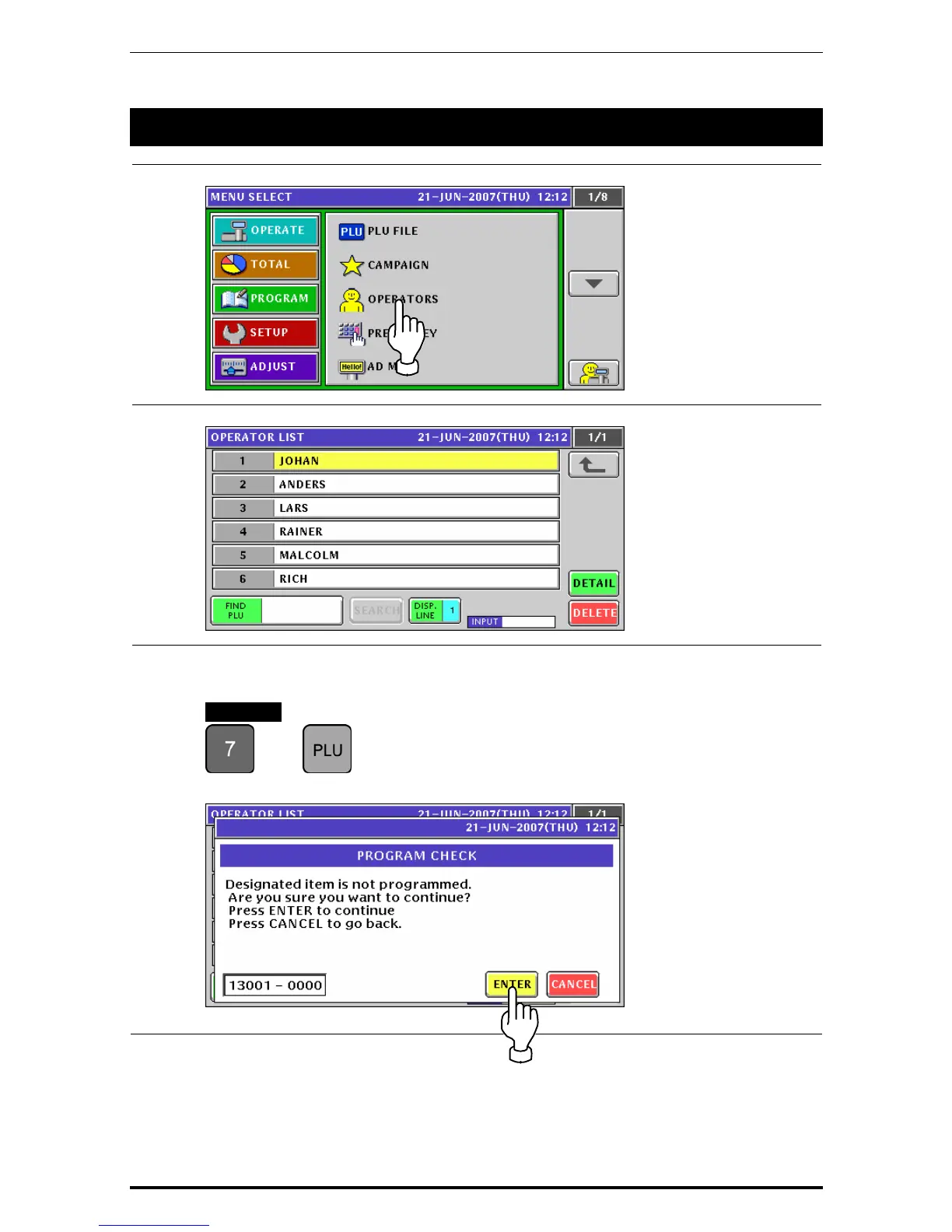
Press the "OPERATORS” field on the Program Menu Select screen.
2.
The Operator List screen appears.
3.
To create a new operator, enter the operator number and press the [PLU] key on the key
sheet.
EXAMPLE Operator number “7”.
Î
The confirmation screen appears. Press the [ENTER] button.
Uni-7 User’s Manual 10-19



 To Next Page