Chapter 3 RECEIPT ISSUE
3
RECEIPT ISSUE
3.1 SALES BY THE SAME OPRATOR
1.
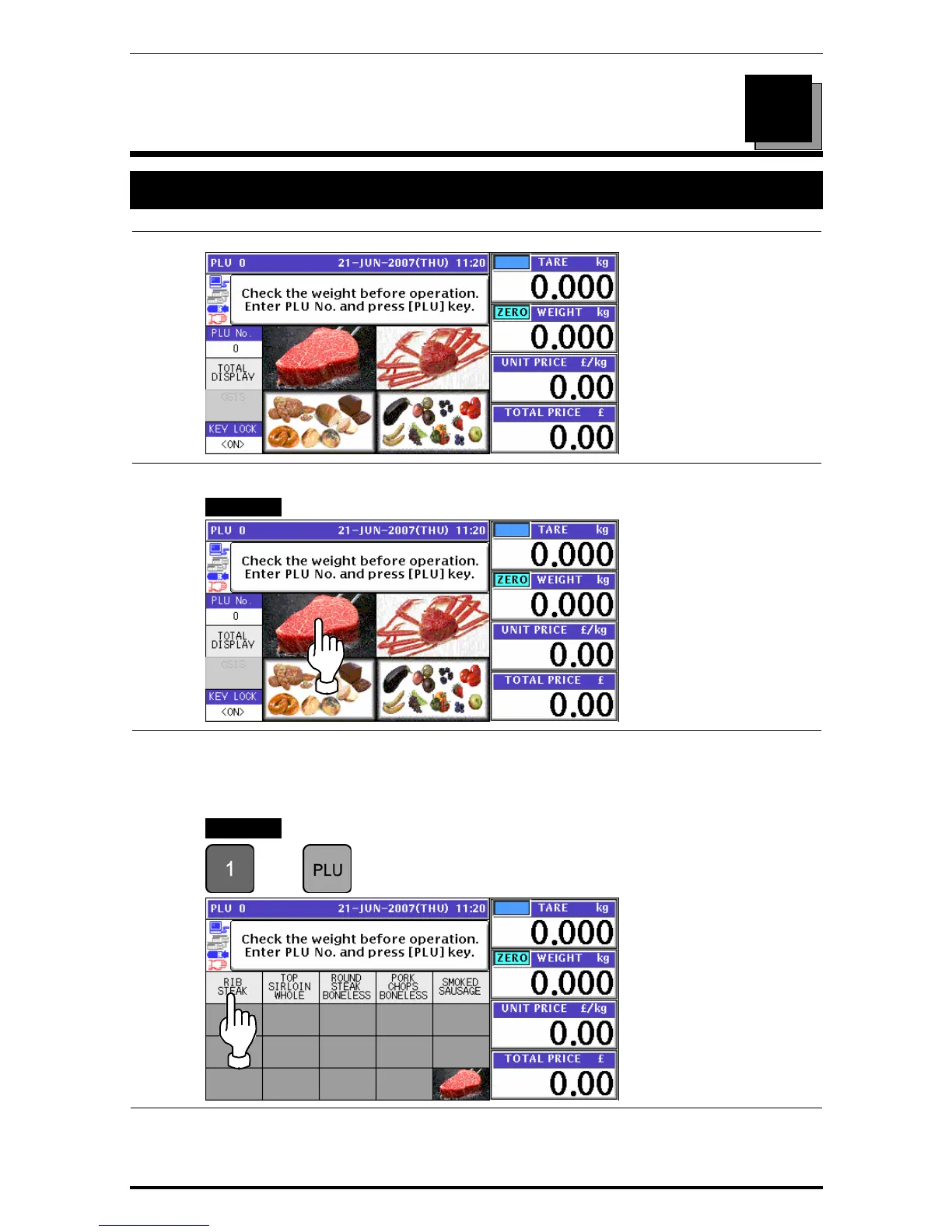
Ensure that the initial screen is displayed.
2-1
Select a desired product category by pressing the corresponding field on the screen.
EXAMPLE Select “Meat” category.
2-2
The PLU preset screen for the selected category appears.
Then, enter a desired PLU number using the numeric keys and press the [PLU] key on the
key sheet, or simply press a preset key on the screen where a desired product is
allocated.
EXAMPLE Select PLU No.1 “Rib Steak”.
Î
or
Uni-7 User’s Manual 3-1


 To Next Page
 Loading...








