Chapter 9 TOTAL MODE
9.3 CUMULATIVE TOTAL
1.
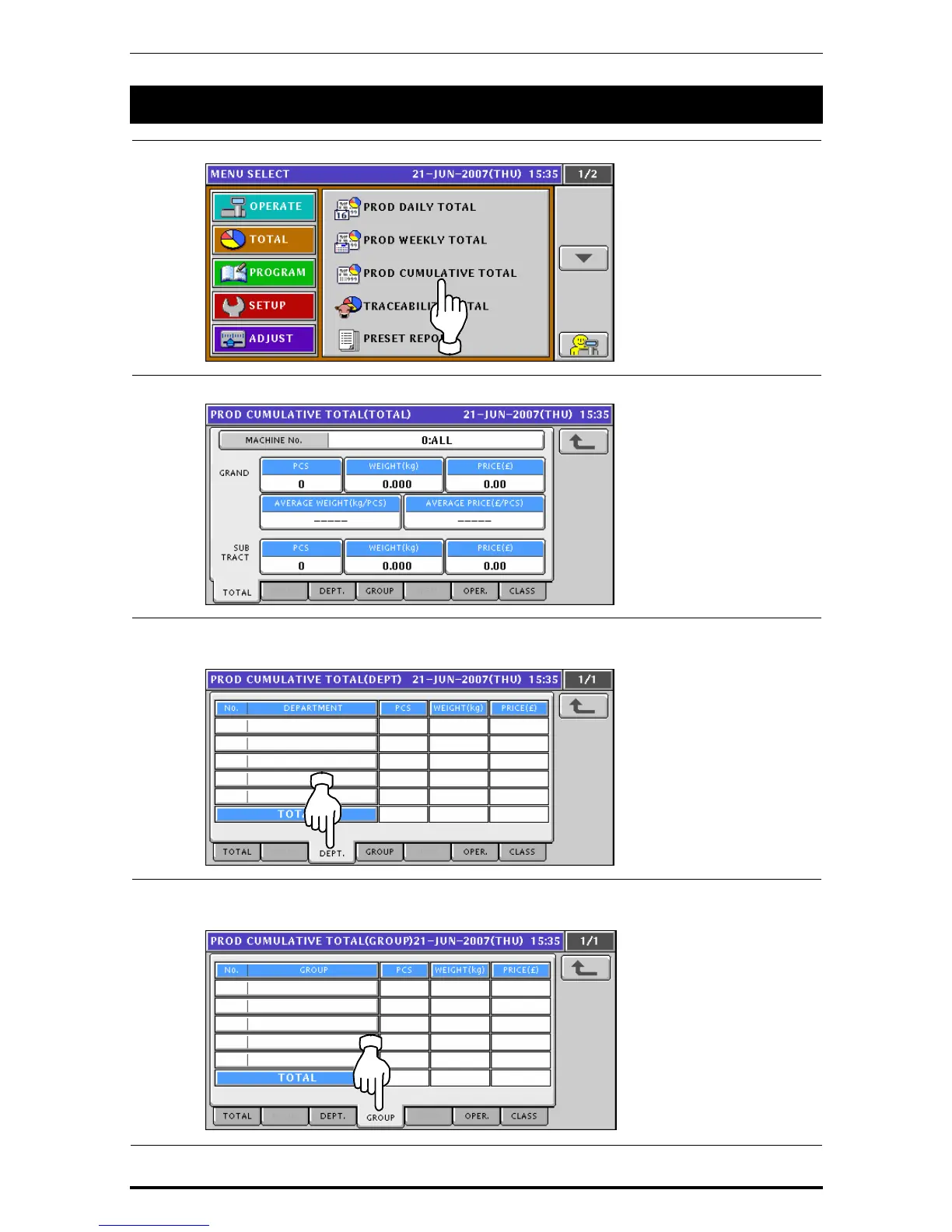
Press the “PRODUCTION CUMULATIVE TOTAL” filed.
2.
The Cumulative Total screen appears.
3.
To obtain total for each department, press the [DEPT.] tab on the screen.
To change the pages, press the [
b] or [
a
] button on the screen.
4.
To obtain total for each group, press the [GROUP] tab on the screen.
To change the pages, press the [
b] or [
a
] button on the screen.
9-6 Uni-7 User’s Manual


 To Next Page
 Loading...








