Chapter 10 PROGRAM MODE
10.8 DEPARTMENT NAME REGISTRATION
10.8.1 CREATING NEW DEPARTMENT NAMES
1.
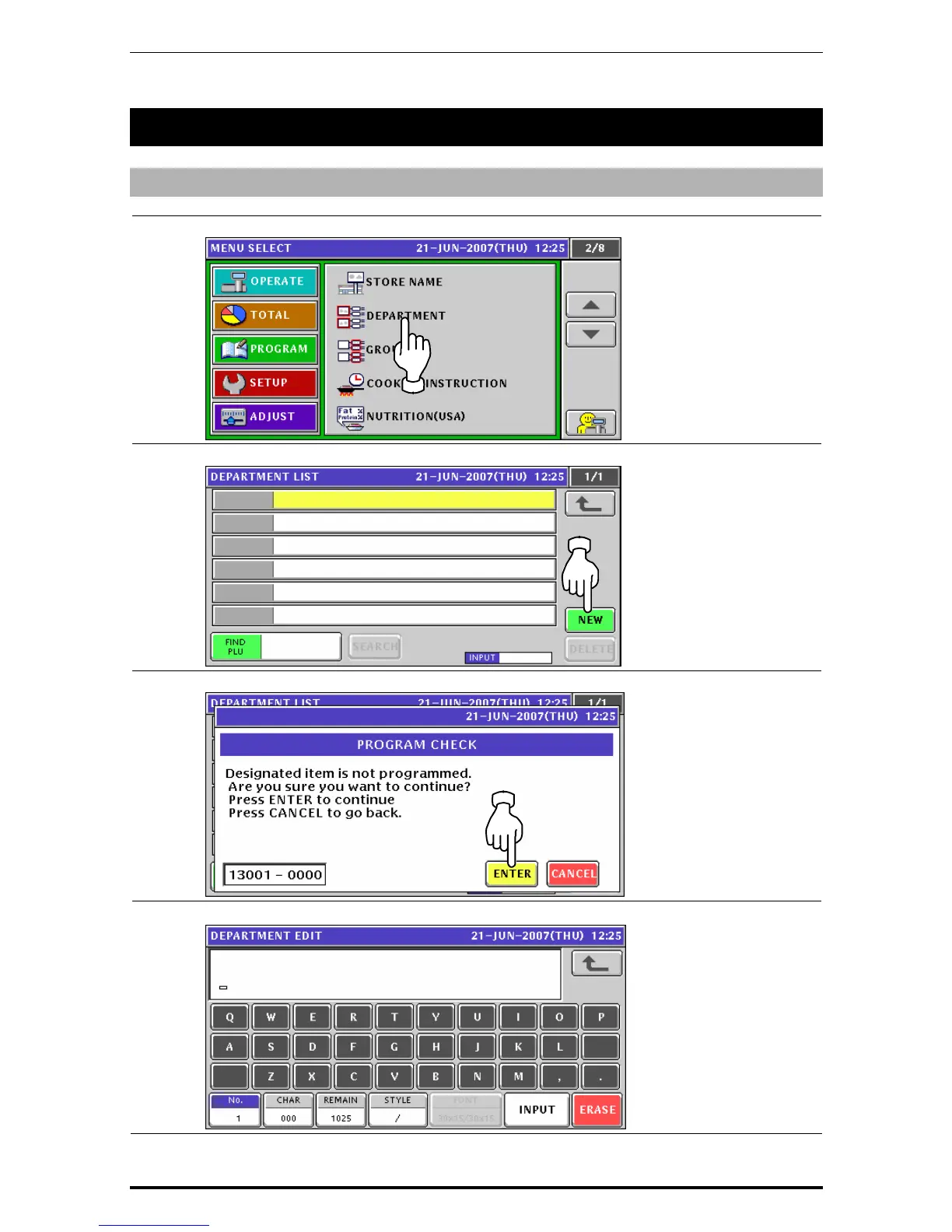
Press the "Department” field on the Program Menu Select screen.
2.
The Department List screen appears. Then, press the [NEW] button.
3.
The confirmation screen appears. Then, press the [ENTER] button.
4.
The Department Name Edit screen appears.
Uni-7 User’s Manual 10-53


 To Next Page
 Loading...








