Chapter 10 PROGRAM MODE
8.
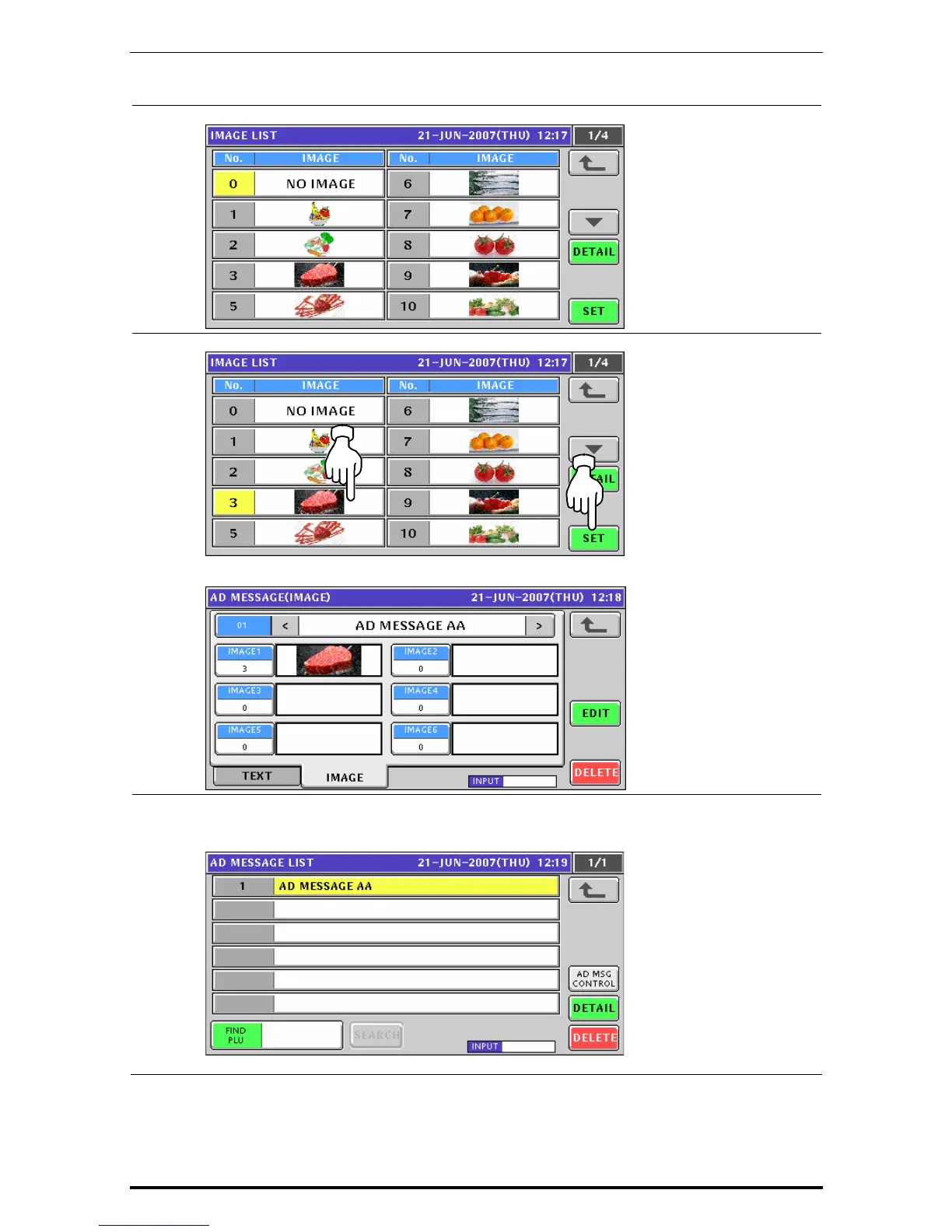
The Image List appears.
9.
Press to select a desired field and press the [SET] button.
The selected image has been assigned in the designated field.
10.
Repeat steps 7 through 9 for more registrations.
Then, press the Return button to finalize this procedure.
The edited message has been registered.
Uni-7 User’s Manual 10-45


 To Next Page
 Loading...








