Chapter 10 PROGRAM MODE
6.
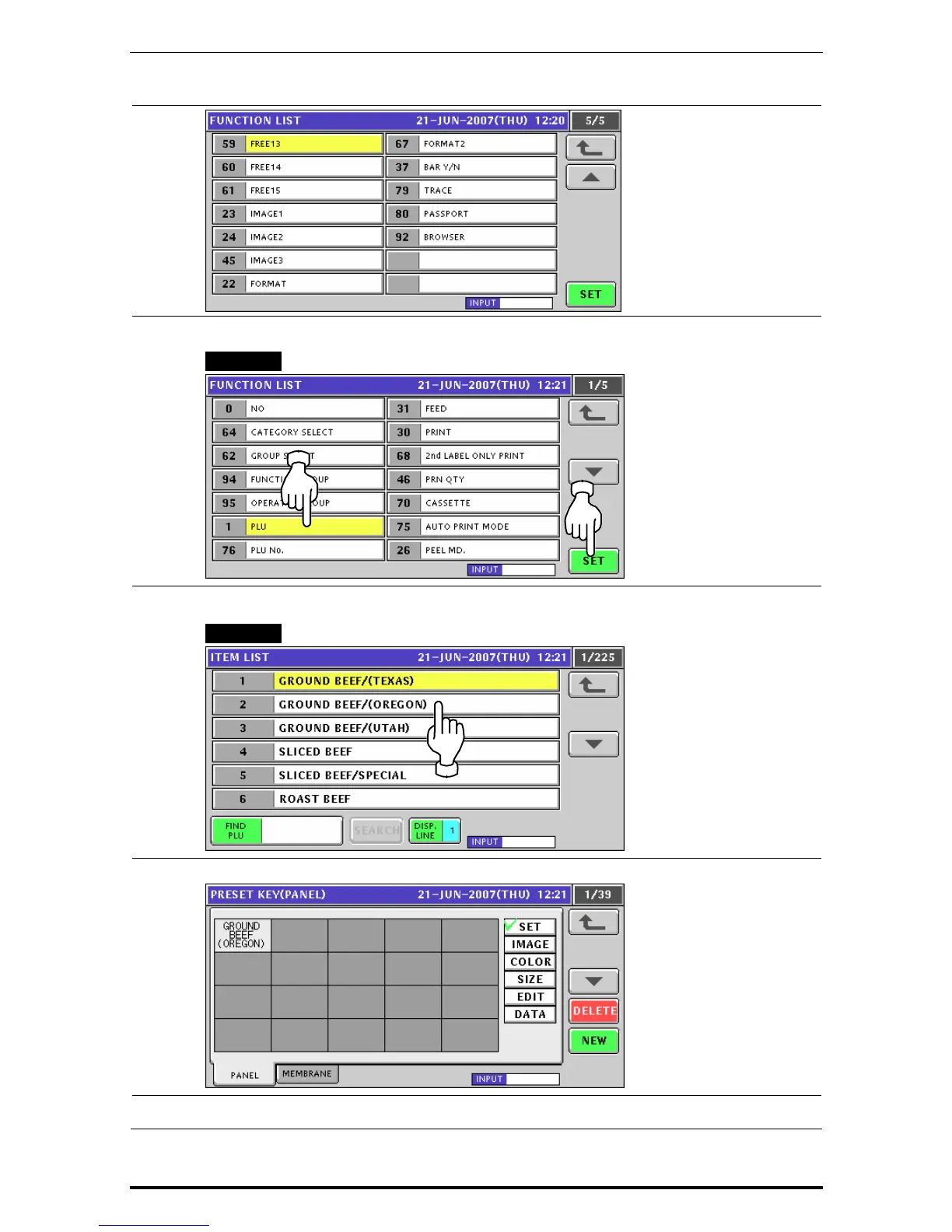
Press to select the desired function on the list, and press the [SET] button.
EXAMPLE Select PLU function.
7.
The Item List screen appears. Then, press to select a desired field.
EXAMPLE Select PLU No.2.
8.
The selected PLU has been assigned.
9.
Repeat steps 4 through 8 for more registrations.
10-24 Uni-7 User’s Manual


 To Next Page
 Loading...








