File Version: 3.4 / JAKA Zu Series Hardware User Manual
5. Consequences caused by loose bolts or screws used to fasten robots or end effectors.
6. Consequences of items falling from end effectors.
7. Mis-operation due to different emergency stop buttons on different machines.
8. Error due to unauthorized changes to safety configuration parameters.
Information on stopping times and stopping distances are found in 3.2 Safety Stop Time and Distance and
Appendix 1: Stop Time and Distance.
2.7
After using the robot for the first time or making any modifications, the following tests must be performed. Ensure
that all safety inputs and outputs are correct and connected correctly. Test that all connected safety inputs and
outputs are functioning. Ensure that the payload is configured correctly. The following tests are required:
1. Test if the emergency stop button and input can stop the robot and engage brakes.
2. Test whether the safeguard input can stop the robot motion. If safeguard reset is configured, check if
activation is required before resuming motion.
3. Check whether the reduced mode input can switch the motion mode to the reduced mode.
4. Test whether the 3- position enabling device must be pressed to enable motion in manual mode and the
robot is under deceleration control.
5. Test whether the emergency stop output of the system can actually bring the entire system into a safety
state.
6. Test whether the system connected to the robot moving output, robot non-stop output, reduced mode output,
or non-reduced mode output can actually detect output changes.
7. Test whether the payload configuration matches the current actual payload of the robot.
2.8
When an emergency occurs, press the emergency stop button to stop all the movements of the robot
immediately. Emergency stop cannot be used as a risk reduction measure, but it can be regarded as secondary
protection equipment and is only used in emergencies. If you need to stop the robot movement under normal
circumstances, please adopt other measures. After risk assessment, if you need to install an emergency stop
button, the button must meet the requirements of IEC-60947-5. The time and distance of emergency stop of
JAKA’s robot have been tested. See Appendix 1: Stop Time and Distance for the test data.
When the emergency stop button is pressed, the robot system will cut off the robot power. In this
case, although the brakes between the joints will lock the joints automatically, there will still be a slight
downward movement of the robot under gravity, so there is a risk of pinching or collision.
2.9
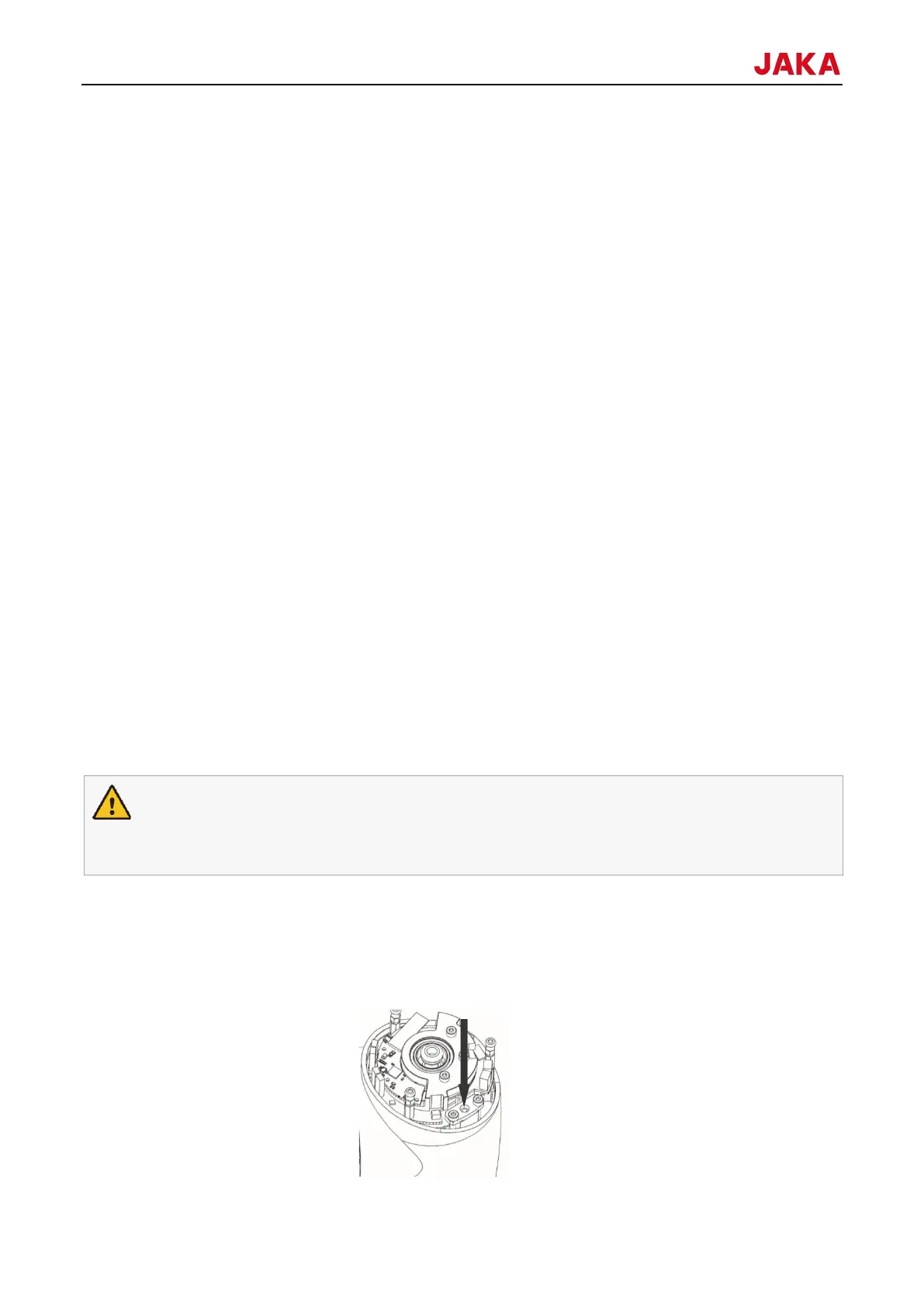
In an emergency when the power supply of the robot fails or is not used, the robot joints can be forced to move
in following way:
Manual brake release: After removing several screws used for fixed joints, remove the joint end cover and press
the slider in the small electromagnet (as shown in the figure below) to manually release the brake.



 To Next Page