EasyManua.ls Logo

JAKA Zu 3 - Remote ON;OFF Interfaces

Default Icon
73 pages
Print Icon
To Next Page IconTo Next Page
To Previous Page IconTo Previous Page
Loading...
File Version: 3.4  /  JAKA Zu Series Hardware User Manual
9.4.8 
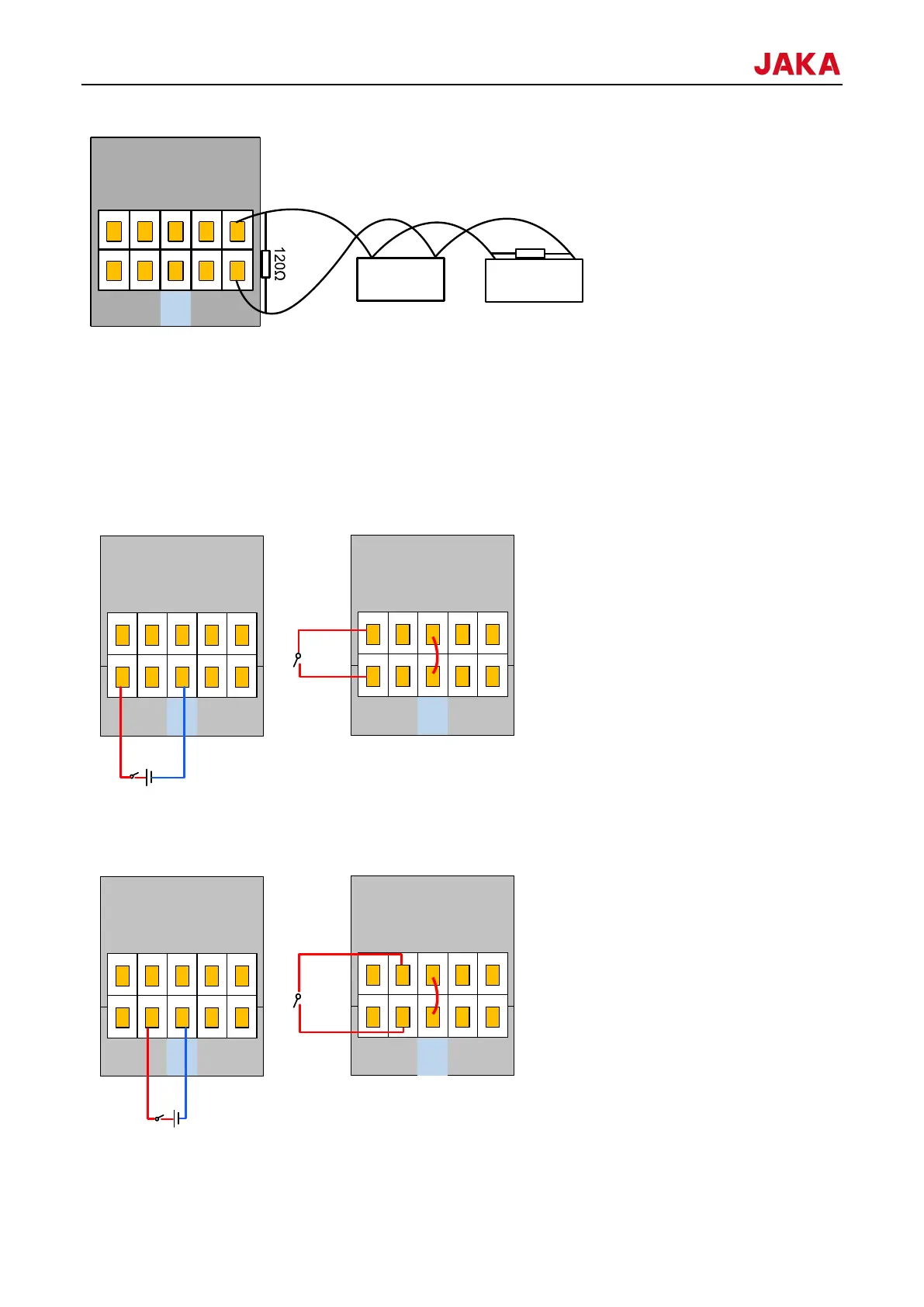
Using remote on/off interfaces, you can power up/down the control cabinet when you do not use the JAKA Zu
App or the control stick. It is commonly used for controlling the control cabinet by connecting it to the PLC.
It is effective when it receives 24V power supply (the reference GND is V-). The remote on/off interface has the
same function as the power button of control stick.
Users can short the on/off interface to 12V power or VSB interface.
1. The wiring of remote on control is as follows:

Connect external power
Connect internal power
2. The wiring of remote off control is as follows:
Connect external power
Connect internal power
Note: Remote on and off interfaces cannot be short at the same time.
P7
VSB 0V 485B
ON OFF V- 485A
B
A A
B
120
P7
VSB 0V 485B
ON OFF V- 485A
120
1
VSB 0V 485B
P7
ON OFF V- 485A
VSB 0V 485B
P7
ON OFF V- 485A
VSB 0V 485B
P7
ON OFF V- 485A
VSB 0V 485B
P7
ON OFF V- 485A

Table of Contents

Related product manuals