File Version: 3.4 / JAKA Zu Series Hardware User Manual
4 Quick Start Guide
Before reading this chapter, ensure that you have read in detail and fully understood the 2 Safety Standard, 3
Safety Functions.
This chapter will introduce the basic components and use methods of JAKA robots as a preliminary
understanding of the robot. For detailed mechanical and electrical specifications, refer to other chapters.
During the use, if you need help, contact us via our quick counseling hot-line: .
4.1
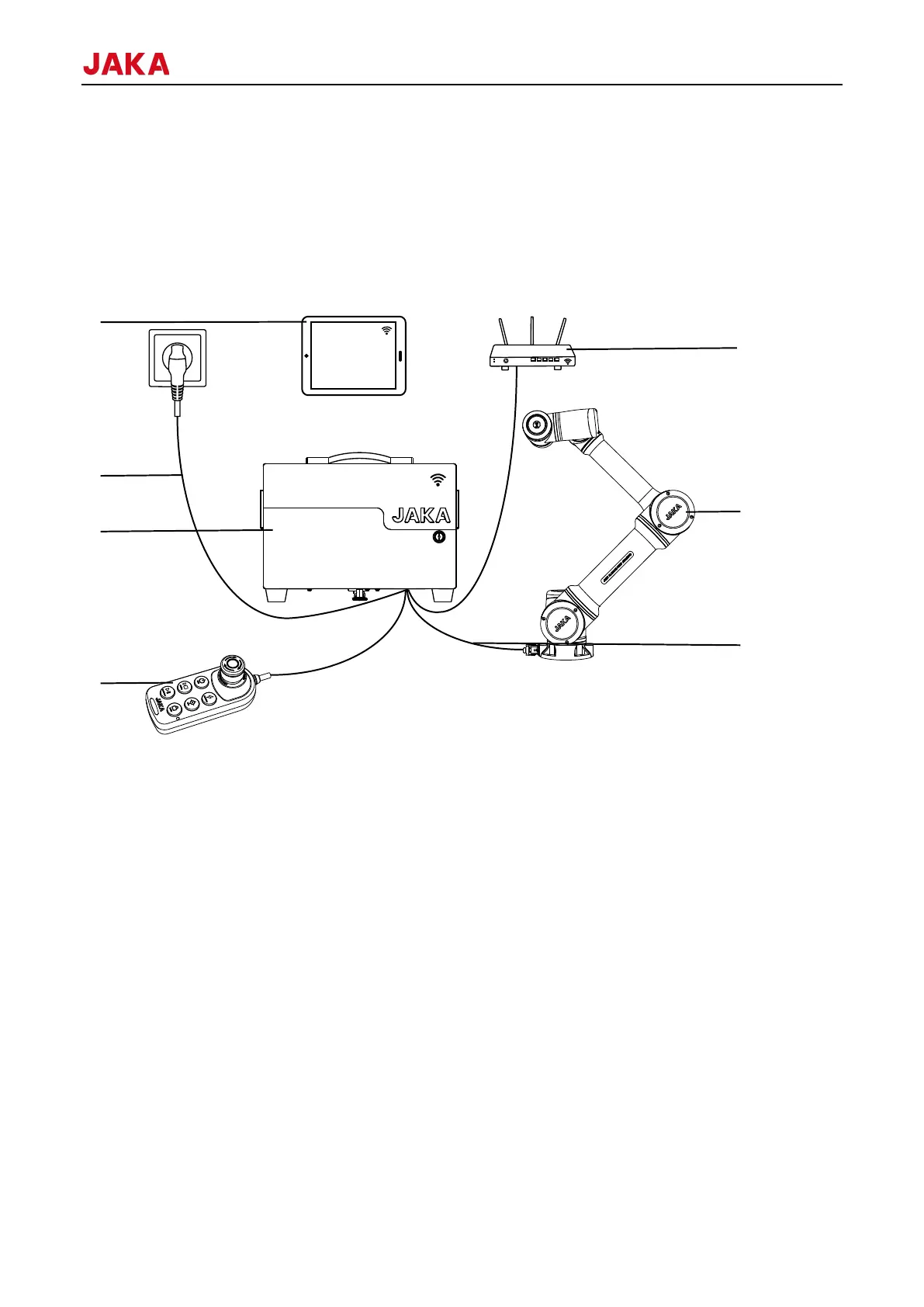
As is shown in figure above, JAKA robot system contains following components:
1. The main moving component to move as user desires.Ring-shaped light, buttons for dragging and
programming, and an I/O interface for connecting tools (the TIO interface) are also arranged at the end of the
body to indicate the robot’s state.
2. Connect the robot and the control cabinet.
3. The control cabinet includes the core computing components and various electrical
interfaces.
4. Provide power supply to the control cabinet.
5. Power on/off and enable on/off the robot, etc.
6. The equipment for users to programming, set parameters, etc.
7. The control cabinet comes with a Wi-Fi module that allows the operation
terminal to connect with the control cabinet (the Wi-Fi name is the control cabinet number) to control the robot.
It is also accessible to connect the network port of the control cabinet to the router and the operation terminal
to the wireless network of this router at the same time. It is recommended to configure a specialized router for
the robot to prevent conflicts with other devices.
4.2
The following table provides a brief overview of the steps for using the robot:



 To Next Page