File Version: 3.4 / JAKA Zu Series Hardware User Manual
7 Control Stick
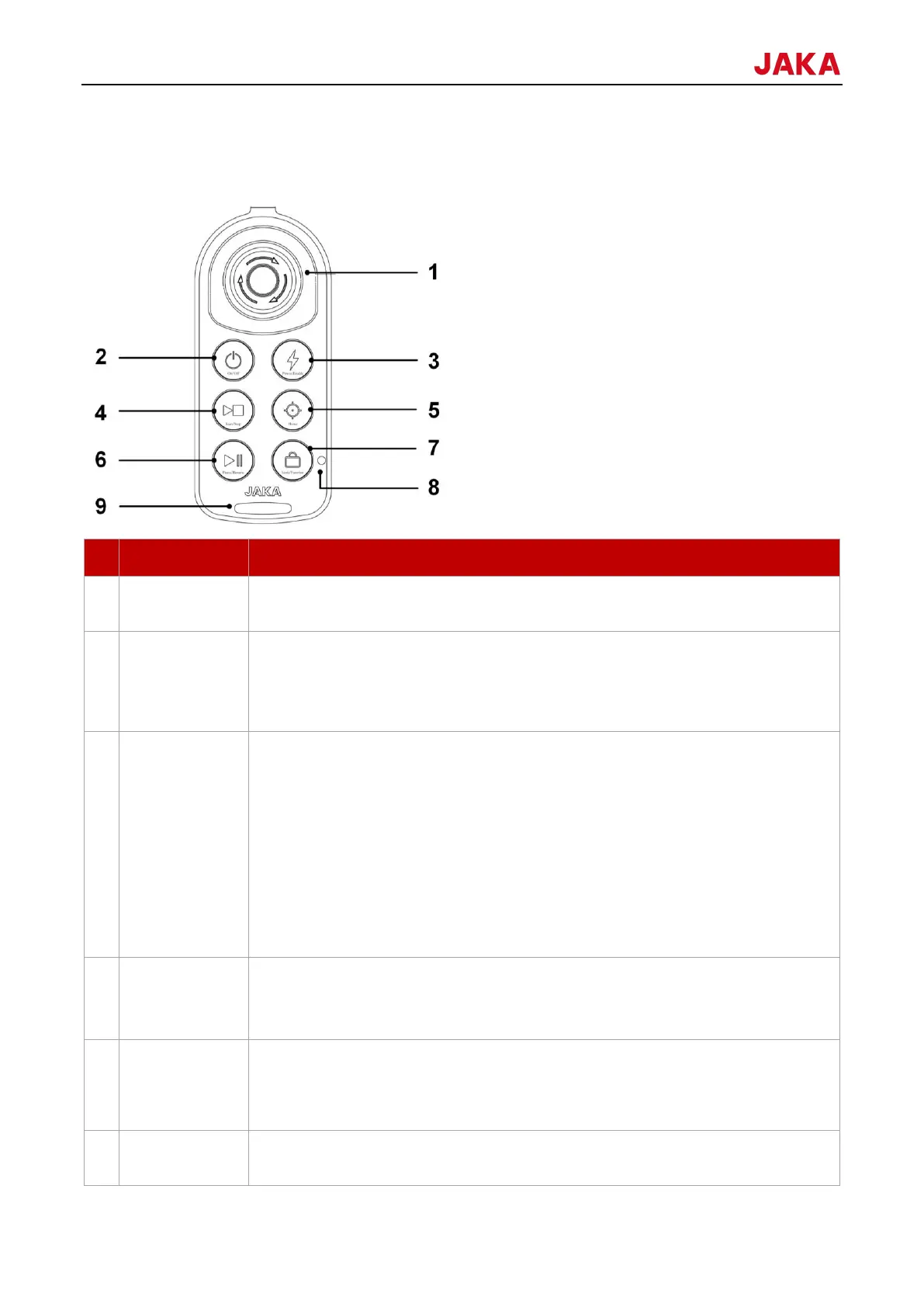
The JAKA robot comes with a control stick, which can be used to control both the robot and the control cabinet.
The functions of buttons on the control stick are described as follows:
Note: The emergency stop button is limited to emergencies
and should not be used as regular power off equipment.
Press the power button for 1s and release. The buzzer makes a noise,
and the control cabinet is powered up.
Press and hold the power button for 3s or more. The control stick
beeps 6-7 times, and the control cabinet is powered down.
Press the enable button, waiting for the ring-shaped light to turn
blue, indicating that the robot is powered on.
Press the enable button, waiting for the ring-shaped light to go off,
indicating that the robot is powered off.
When the robot is powered on, press and hold the lock button, and
then press the enable button at the same time until the ring-shaped light turns green,
which means the robot is enabled.
When the robot is enabled, press and hold the lock button, and then
press the enable button at the same time until the ring-shaped light turns blue, which
means the robot is disabled.
Press the button to start the default program, execute the default
program after the robot reaching the initial position of the program.
Press to stop the program when the robot runs the program.
After the robot is enabled and the robot isn’t run the program. Press and hold
the reset button to control the robot to return to initial orientation set in the JAKA Zu
App. When the robot has moved to initial orientation, and continue pressing the
button, the lock indicator will turn blue.
During the automatic operation of the robot, press the button to pause
program.



 To Next Page